Try it on your own data
Every report in this article is in the free plan. One snippet for web and apps, up to 10 sites.
Start freeMore than half of Google searches end on the results page. That does not hit every page equally: definitions lose most, comparisons and tools much less. This guide covers the data, which queries are zero-click, a worked before/after on one site split by query type, and how to change strategy and measurement.
What you will learn
- 58.5% of US Google searches ended without a click in 2024
- Definitions and facts are most affected; comparisons and tools least
- Measure clicks and CTR by query group, not site-wide
- Stable rank with falling CTR points to answers absorbing clicks
- Track impressions, brand search and AI-referred visits too
What is a zero-click search?
A zero-click search is a search that ends without the user clicking any result. The answer is shown directly on the results page, in a featured snippet, an AI Overview, a knowledge panel, a calculator or a map, or the user simply refines the query or leaves.
Zero-click searches are not new, but they are now the majority. In SparkToro's 2024 study of clickstream data from Datos, 58.5% of US Google searches and 59.7% of EU searches ended without a click. For every 1,000 US Google searches, only 374 clicks went to the open web (non-Google sites); in the EU it was 360.
Why zero-click searches are growing
- AI Overviews and AI Mode answer informational questions in full paragraphs. In Pew Research Center's study of real browsing in March 2025, users clicked a traditional result in 8% of visits with an AI summary against 15% without one.
- Rich results such as featured snippets, People also ask boxes and knowledge panels have expanded for years.
- Direct answers for weather, time, sports scores, unit conversions, currency, flights and definitions need no click.
- Local packs let people call or get directions from the results page.
- Mobile layouts push organic results further down the screen.
Which searches are zero-click?
| Query type | Example | Zero-click risk | Why |
|---|---|---|---|
| Facts and conversions | "100 usd to eur", "time in tokyo" | Very high | Fully answered on the results page |
| Definitions | "what is churn rate" | High | AI Overview or snippet covers the basic answer |
| Simple how-to | "how to clear cache in chrome" | Medium | Steps can be shown, but many still click for detail |
| Comparisons and evaluations | "best crm for startups", "x vs y" | Low to medium | Users want depth, tables and trust signals |
| Tools and templates | "invoice template", "roi calculator" | Low | The user needs to use something |
| Brand and navigational | "tapcub login" | Low | User wants to reach a specific site |
| Local | "coffee near me" | High | Answered by the map pack |
| Query type | Zero-click risk |
|---|---|
| Facts and conversions | Very high |
| Definitions | High |
| Simple how-to | Medium |
| Comparisons | Low to medium |
| Tools and templates | Low |
| Brand | Low |
Local queries are also high-risk because of map packs.
Worked example: impressions up, clicks down
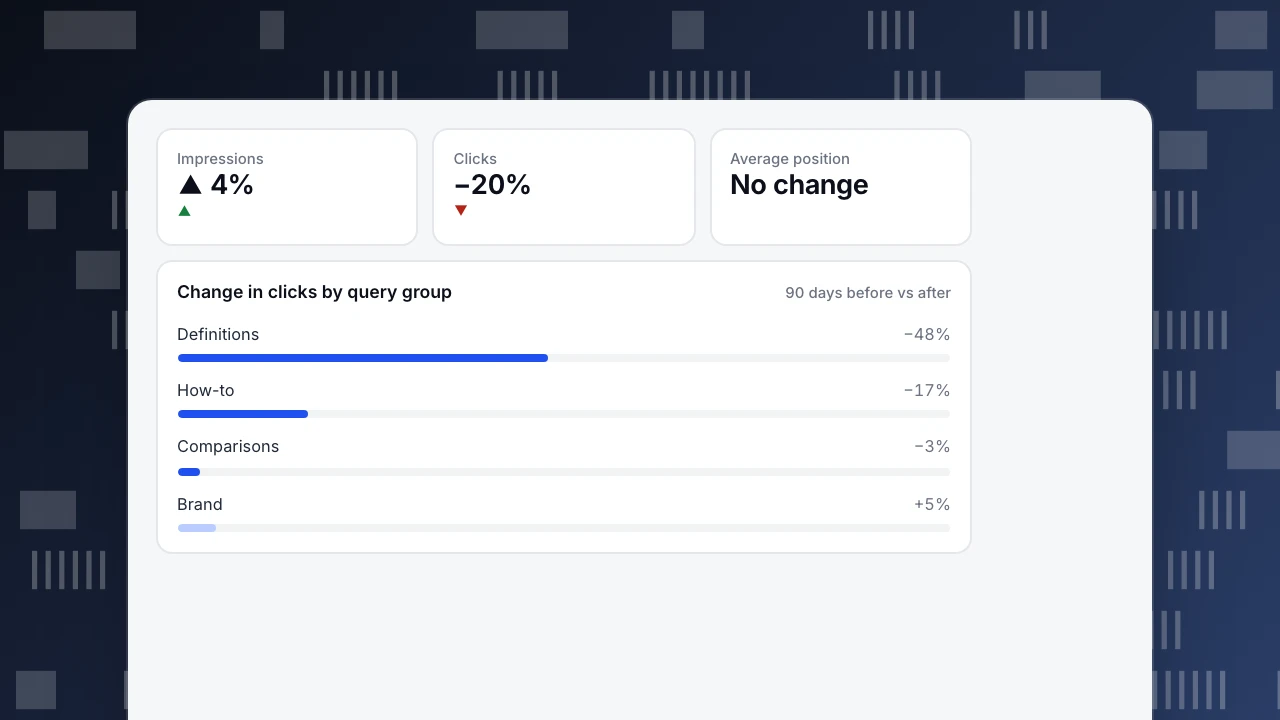
A B2B content site compared 90 days before and after AI Overviews appeared widely on its main queries. Average positions barely moved (sample figures):
| Query group | Impressions, before → after | Clicks, before → after | CTR, before → after |
|---|---|---|---|
| Definitions | 120,000 → 126,000 | 4,800 → 2,520 | 4.0% → 2.0% |
| How-to | 60,000 → 62,000 | 3,000 → 2,480 | 5.0% → 4.0% |
| Comparisons | 25,000 → 26,000 | 1,500 → 1,456 | 6.0% → 5.6% |
| Brand | 10,000 → 10,500 | 4,000 → 4,200 | 40% → 40% |
| Total | 215,000 → 224,500 (+4%) | 13,300 → 10,656 (−20%) | 6.2% → 4.7% |
Three conclusions:
- The loss was concentrated. Definition queries lost 48% of their clicks; comparisons lost 3%. Reporting a single site-wide number hid where the problem was.
- Rankings were not the problem. Position was stable, so "rank higher" was not the fix. The page was still seen; it just was not needed.
- Brand searches grew 5%. Some people who saw the site cited in answers searched for it by name later. The team started tracking branded impressions and AI-referred visits as part of content performance.
Impressions
▲ 4%
▲
Clicks
−20%
▼
Average position
No change
Change in clicks by query group
90 days before vs afterHow to adapt to zero-click search
- Segment queries by intent and measure clicks and CTR per group, not per site.
- Shift effort to click-worthy queries: comparisons, original data, tools, templates and deep guides with examples.
- Make definitions earn their keep: keep them short, accurate and clearly branded so they are used in answers and remembered, and link from them to the deeper content.
- Get cited, not just ranked. Clear first-paragraph answers, tables and original numbers make your page the source an AI answer links.
- Measure visibility, not only traffic: impressions, branded search volume, AI-referred visits and conversions from organic.
- Build owned channels such as email, community and product-led loops, so fewer goals depend on a click from search.
- Do not chase every snippet. For a fact query, winning the snippet may still produce zero clicks.
Measuring zero-click impact in TapCub
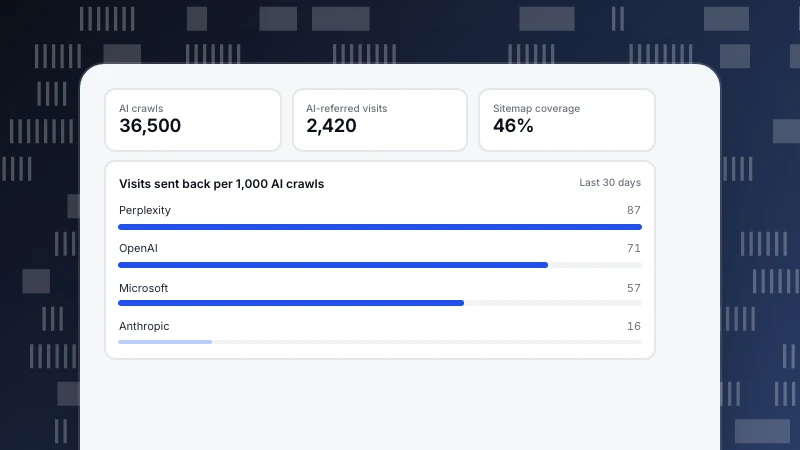
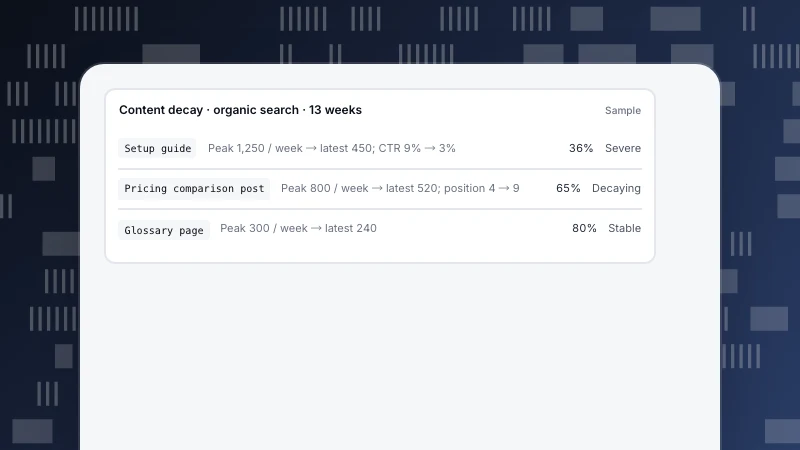
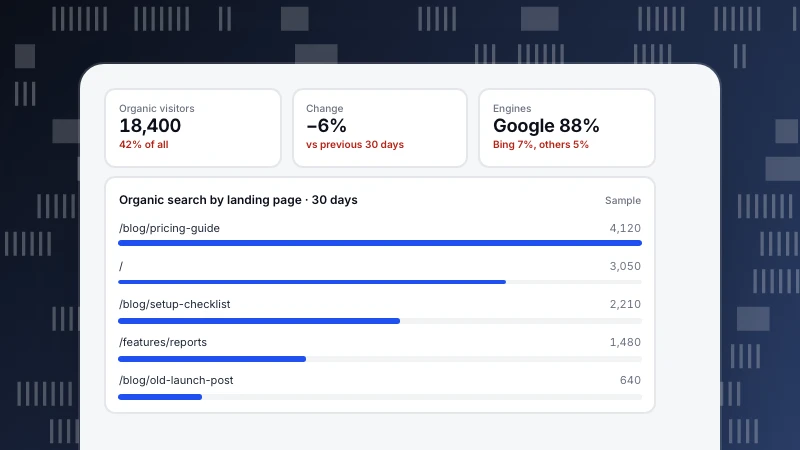
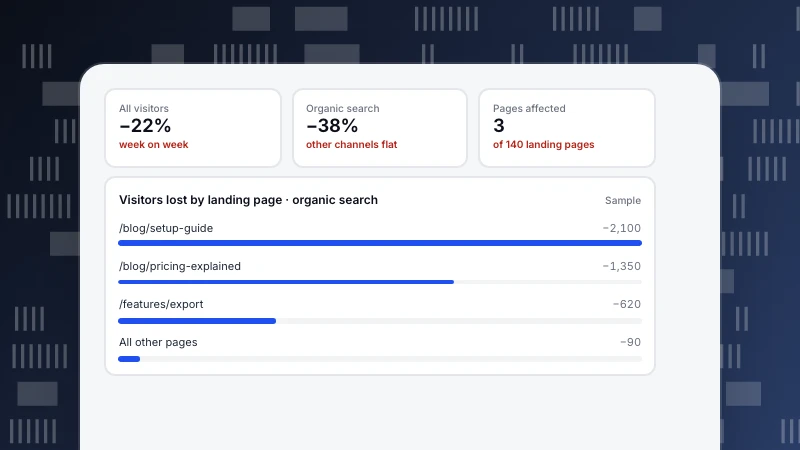
With Google Search Console connected, Monitoring › Search performance shows clicks, impressions, click-through rate and position by page and query. Pages in the top 10 with below-median CTR are marked, which is exactly where AI answers and snippets tend to absorb clicks. Monitoring › Content decay compares a page's peak four weeks with the latest four, so you can see whether only organic search dropped. Web analytics › Sources has an AI sources tab for visitors arriving from AI assistants. See Why search terms look thin and the guides on AI visibility and content decay.
Sources
- SparkToro, 2024 zero-click search study: for every 1,000 US Google searches, only 374 clicks go to the open web (2024).
- Pew Research Center, Google users are less likely to click on links when an AI summary appears in the results (2025).
Was this article helpful?
We use your answers to fix and expand this page.
Couldn’t send. Please try again in a minute.
Thanks for the feedback. We’ll use it to improve this page.You’ve already sent feedback on this page. Thanks.

Customer Experience Consultant
Writes about live chat, visitor conversations, and self-service, sharing practical ways to make customer communication clearer and more effective.