Try it on your own data
Every report in this article is in the free plan. One snippet for web and apps, up to 10 sites.
Start freeTwo lines in robots.txt ask every crawler to stay off your site. This guide explains what they actually do and do not do, the common variants, how Google resolves conflicting rules, and how to check which crawlers obey.
What you will learn
- Disallow: / stops crawling, not indexing; URLs can still show
- An empty Disallow: allows everything; check the slash
- A named group replaces the * group for that crawler
The two lines
To ask every crawler to stay off the whole site, two lines at /robots.txt on the host are enough: User-agent: * and Disallow: /. The example below also shows how to exempt one crawler.
The * group applies to any crawler without a group of its own, and Disallow: / covers every path. The rule applies per host and protocol: www.example.com and shop.example.com each need their own file. The format is standardised in RFC 9309.
One character changes everything: Disallow: with nothing after it means allow everything. Check the slash.
# Block every crawler from the whole site
User-agent: *
Disallow: /

# ...except Googlebot, which follows only its own group
User-agent: Googlebot
Allow: /
What it does not do
- It does not remove pages from search. Google says a URL blocked by robots.txt can still appear in results, without a description, if other pages link to it. To keep a page out, use
noindex(and let it be crawled so the tag is seen) or password protection (robots.txt introduction). - It does not protect anything. The file is public and asks politely. Crawlers that ignore it, and people, can still fetch every page.
- It does not apply instantly. Google generally caches robots.txt for up to 24 hours.
- It does not cover other hosts. Each subdomain reads its own file.
Variants
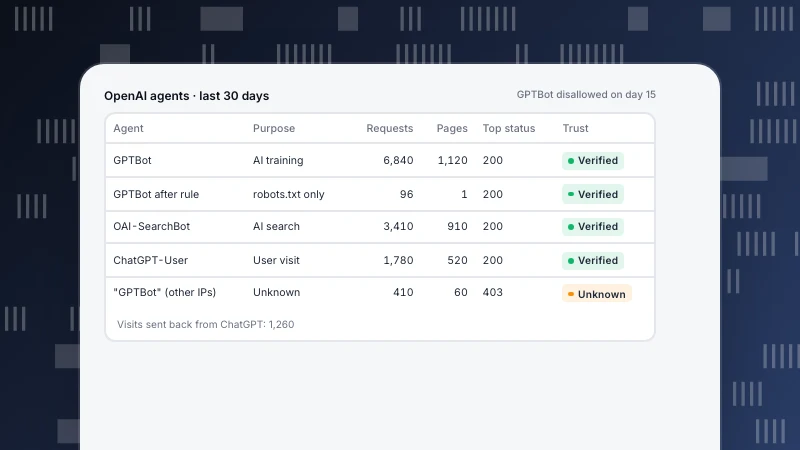
The table lists the variants people usually mean by "disallow all", with what to watch for. Blocking AI crawlers only needs one group per agent, and each vendor has several agents with different jobs; see GPTBot and ClaudeBot for the current names.
| Goal | Rules | Watch out |
|---|---|---|
| Block everything | User-agent: * · Disallow: / | URLs may still appear without a description |
| Allow everything | User-agent: * · Disallow: (empty) | One missing slash flips the meaning |
| Block all except one crawler | * group Disallow: / · named group Allow: / | The named crawler ignores the * group |
| Block one folder | Disallow: /private/ | Not access control; the file is public |
| Block AI crawlers only | One group per agent with Disallow: / | Vendors run several agents; check their docs |
| Staging site | Disallow: / plus a password | Never ship this file to production |
Precedence follows Google's robots.txt specification.
How Google reads conflicting rules
Google's robots.txt specification sets three rules worth knowing:
- One group per crawler. A crawler follows only the group with the most specific matching user agent and ignores the rest. A
Googlebotgroup replaces the*group for Googlebot; it does not add to it. - Longest path wins. Within a group, the rule with the longest matching path applies, so
Allow: /blogbeatsDisallow: /for/blog/post. - Ties go to allow. When two rules are equally specific, Google uses the less restrictive one.
The file's own status code matters too. A 4xx (other than 429) is treated as if there were no robots.txt, so everything may be crawled. A 5xx makes Google stop crawling the site for the first 12 hours and then fall back to the last good copy for up to 30 days.
The staging accident
The common way Disallow: / hurts is when a staging site's file ships to production. Rankings drop over the following days and weeks as pages stop being refreshed. Protect against it:
- Keep staging behind a password, not only robots.txt.
- Generate robots.txt per environment in the build, never copy it.
- Add a release check that fails if production robots.txt contains
Disallow: /underUser-agent: *. - Alert on a sudden drop in search engine fetches.
Check who actually obeys
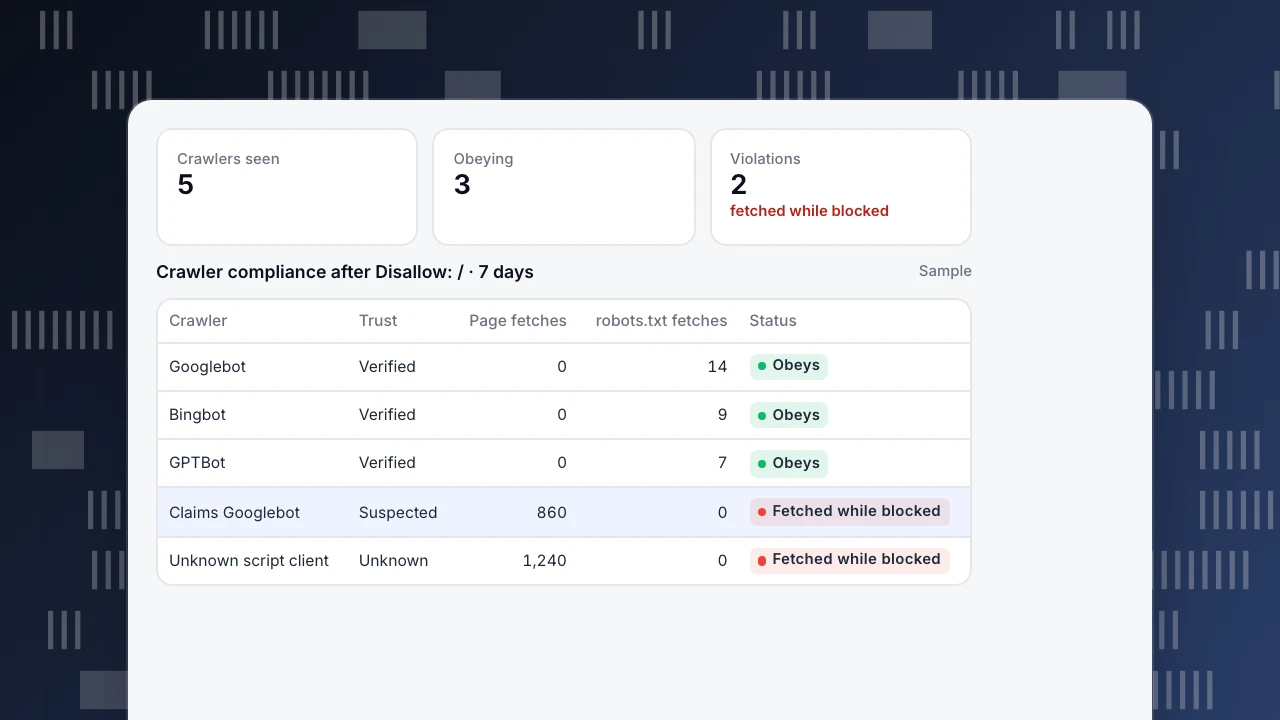
robots.txt is a request. Compare it with what crawlers fetch: after a full block, well-behaved crawlers should request only /robots.txt. Anything else fetching pages is ignoring the rule or pretending to be a crawler it is not. The example shows three verified crawlers obeying and two clients that do not, one of them claiming to be Googlebot from an address that is not Google's. Those need blocking at the server or firewall, not in robots.txt.
If you are blocking because crawlers load the server, consider whether the problem is crawl budget and server errors instead; a full block also stops search engines from crawling new pages.
Crawlers seen
5
Obeying
3
Violations
2
fetched while blocked
Crawler compliance after Disallow: / · 7 days
Sample| Crawler | Trust | Page fetches | robots.txt fetches | Status |
|---|---|---|---|---|
| Googlebot | Verified | 0 | 14 | Obeys |
| Bingbot | Verified | 0 | 9 | Obeys |
| GPTBot | Verified | 0 | 7 | Obeys |
| Claims Googlebot | Suspected | 860 | 0 | Fetched while blocked |
| Unknown script client | Unknown | 1,240 | 0 | Fetched while blocked |
robots.txt compliance in TapCub
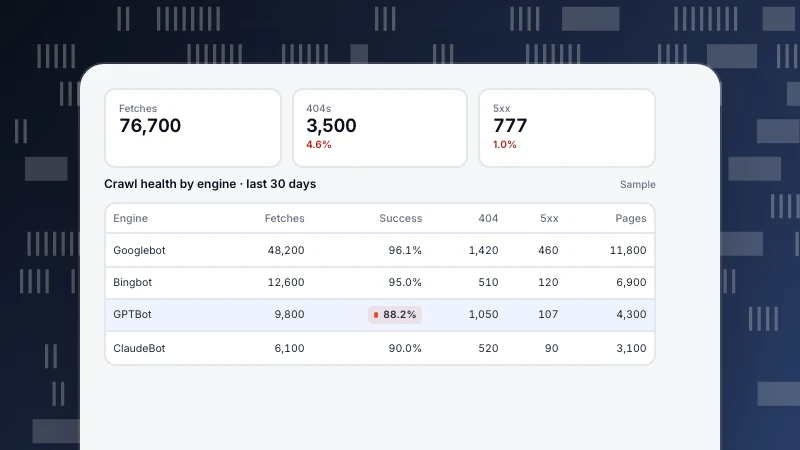
With server-side records from log import or server events, Crawler compliance fetches your rules file and compares it with real fetches. It flags three violation types: fetched while blocked globally, fetched a disallowed path, and fetched sooner than the declared delay. You can refetch and rescan, and open a violating row to copy a block snippet for your server. A generator drafts rules for "block training crawlers", "block answer engines" or "allow major search engines only", for you to publish. As the page notes, the file itself cannot stop a fetch; the report is the evidence. The crawl anomaly alert catches a sudden drop in one engine's fetches, the typical sign of an accidental block (crawl health & compliance). More in AI crawler and llms.txt.
FAQ
How do I disallow all crawlers in robots.txt?
Use User-agent: * followed by Disallow: / in the robots.txt at the root of each host.
Will Disallow: / remove my site from Google?
Not by itself. Pages stop being crawled, but URLs can still appear without a description. Use noindex or authentication to keep pages out.
What is the difference between Disallow: / and Disallow: with nothing?
Disallow: / blocks every path. An empty Disallow: blocks nothing.
How do I block all crawlers except Google?
Add a User-agent: * group with Disallow: / and a User-agent: Googlebot group with Allow: /. Googlebot follows only its own group.
Do all bots respect robots.txt?
No. Major search engines and declared AI crawlers say they follow it; scrapers and fake user agents often do not. Check your logs and block at the server where needed.
Was this article helpful?
We use your answers to fix and expand this page.
Couldn’t send. Please try again in a minute.
Thanks for the feedback. We’ll use it to improve this page.You’ve already sent feedback on this page. Thanks.

Solutions Engineer
Covers SDKs, API integrations, and data implementation, with an emphasis on validation, system interoperability, and troubleshooting.