Try it on your own data
Every report in this article is in the free plan. One snippet for web and apps, up to 10 sites.
Start freeBlocking GPTBot is a one-line change, but it is only one of four OpenAI agents and each is controlled separately. This guide covers what GPTBot and the other three do, what each opt-out changes, robots.txt rules for common goals, verifying requests against OpenAI's published IP files, and checking the result in your own data.
What you will learn
- GPTBot (training), OAI-SearchBot (search), ChatGPT-User (user visits) and OAI-AdsBot (ad review) are independent
- Disallow GPTBot and allow OAI-SearchBot to stay out of training but in ChatGPT search
- ChatGPT-User may not follow robots.txt; verify every agent by its published IP file
What GPTBot is
GPTBot is the crawler OpenAI uses for content that may be used to train its generative AI foundation models. Disallowing it in robots.txt signals that your content should not be used for training. Its user agent contains GPTBot/1.4 and a link to openai.com/gptbot; the version number may change (OpenAI crawlers).
GPTBot is one of four agents OpenAI documents, and OpenAI says each setting is independent of the others. Blocking GPTBot does not remove you from ChatGPT search, and allowing search does not allow training.
OpenAI's four agents
From OpenAI's crawler overview:
- GPTBot: crawls content that may be used for model training.
- OAI-SearchBot: surfaces websites in ChatGPT search results. Sites that opt out will not appear in ChatGPT search answers, though they can still appear as navigational links. OpenAI says robots.txt changes take about 24 hours to show in search results.
- ChatGPT-User: visits pages when a user asks ChatGPT or a custom GPT a question, and for GPT Actions. It is not used for automatic crawling, and OpenAI notes that because these visits are user-initiated, robots.txt rules may not apply. It is not used to decide search inclusion.
- OAI-AdsBot: checks landing pages submitted as ads on ChatGPT for policy compliance. It only visits pages submitted as ads, and OpenAI says its data is not used to train foundation models.
| Agent | What it does | robots.txt |
|---|---|---|
| GPTBot | Crawls content that may be used for training | ✓ Disallow signals no training use |
| OAI-SearchBot | Surfaces sites in ChatGPT search | ✓ Opt-out removes you from search answers (~24 h) |
| ChatGPT-User | Visits pages on a user's request; GPT Actions | ~ May not apply (user-initiated) |
| OAI-AdsBot | Checks ad landing pages for policy | ~ Only visits submitted ad pages |
Source: OpenAI crawler overview, checked 2026-11-04. Settings are independent.
robots.txt rules
Each agent gets its own group. A common choice is to opt out of training while staying visible in ChatGPT search:
To opt out of everything automatic, disallow both GPTBot and OAI-SearchBot. ChatGPT-User visits are user-initiated and may not follow robots.txt, so if you need to restrict them, that takes access controls on the server rather than a rules file.
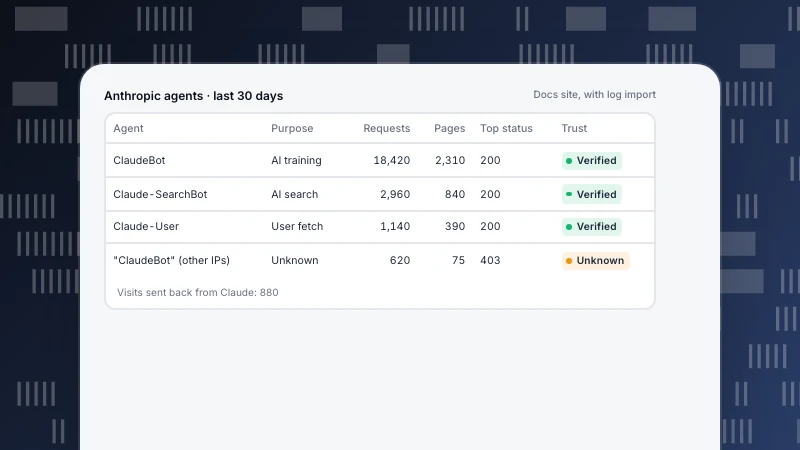
Compared with Anthropic's agents (ClaudeBot), the split is similar: one training crawler, one search crawler and one agent for user requests, each controlled separately.
User-agent: GPTBot
Disallow: /

User-agent: OAI-SearchBot
Allow: /
Verify that a request is really GPTBot
User agent strings can be faked. OpenAI publishes the IP ranges for each agent as JSON files: gptbot.json, searchbot.json and chatgpt-user.json. Match the source address of requests in your logs against the file for the agent named in the user agent. Requests claiming GPTBot from addresses outside the list are not OpenAI.
Check your own data
Look at what each OpenAI agent actually fetches before and after you change rules: requests, distinct pages, status codes, and human visitors arriving from ChatGPT. If you disallowed GPTBot, its requests for disallowed paths should fall away; any that continue from verified addresses are worth a closer look, and any from unverified addresses are not OpenAI at all.
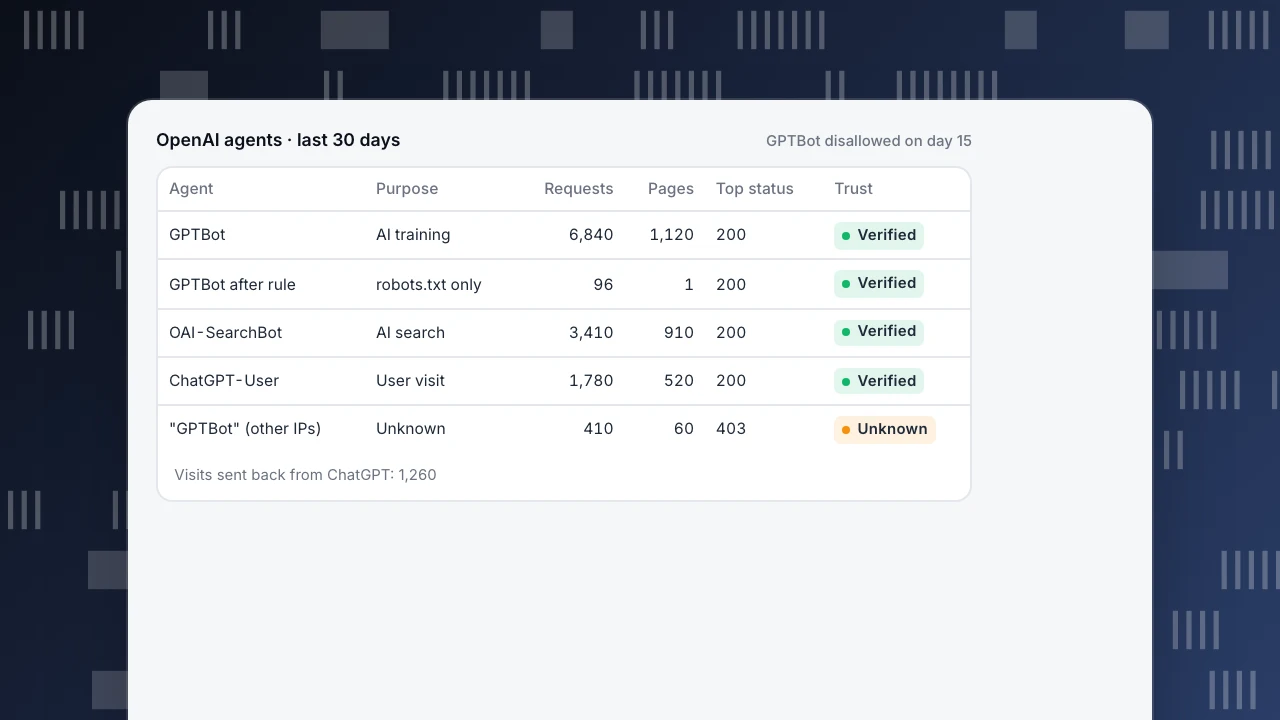
In the example, GPTBot was disallowed mid-month. Its remaining requests are mostly robots.txt fetches, which is expected: the crawler still reads the rules file. A page-script analytics tool sees few of these crawlers because most do not run JavaScript; complete counts need server logs.
OpenAI agents · last 30 days
GPTBot disallowed on day 15| Agent | Purpose | Requests | Pages | Top status | Trust |
|---|---|---|---|---|---|
| GPTBot | AI training | 6,840 | 1,120 | 200 | Verified |
| GPTBot after rule | robots.txt only | 96 | 1 | 200 | Verified |
| OAI-SearchBot | AI search | 3,410 | 910 | 200 | Verified |
| ChatGPT-User | User visit | 1,780 | 520 | 200 | Verified |
| "GPTBot" (other IPs) | Unknown | 410 | 60 | 403 | Unknown |
Visits sent back from ChatGPT: 1,260
Decide per goal
- Keep content out of training, stay in ChatGPT search: disallow GPTBot, allow OAI-SearchBot.
- Maximise visibility in ChatGPT: allow GPTBot and OAI-SearchBot, and make sure key pages return 200 to them.
- Stay out of ChatGPT search: disallow OAI-SearchBot; you may still appear as a navigational link.
- Reduce load: rate limit at the server and keep rules simple.
Whatever you decide, a robots.txt rule only states your wish; checking actual fetches is how you know it is honoured. Related: AI crawler ledger, llms.txt, AI crawler and the AI crawler checker.
GPTBot in TapCub
The Bots report lists each bot with operator, purpose (search, AI training, AI answer engines, monitoring), requests, pages, the most common status code, last seen and trust level, and the AI content ledger compares reads per operator with human visitors sent back (bots). Recognised bots are excluded from human reports by default. Crawlers that do not run JavaScript need server collection or a log import.
Crawler compliance fetches your robots.txt and compares it with real fetches: fetched while blocked, fetched a disallowed path, or fetched sooner than the declared delay. Its generator drafts rule sets such as "block training crawlers" for you to publish (crawl health & compliance).
FAQ
What is GPTBot?
OpenAI's crawler for content that may be used to train its generative AI foundation models.
How do I block GPTBot?
Add User-agent: GPTBot and Disallow: / to robots.txt at the root of each host.
Does blocking GPTBot remove my site from ChatGPT search?
No. Search uses OAI-SearchBot, which has its own robots.txt setting.
Does ChatGPT-User follow robots.txt?
OpenAI says that because ChatGPT-User visits are initiated by users, robots.txt rules may not apply.
How long do robots.txt changes take to apply?
OpenAI says search results reflect a robots.txt update in about 24 hours. It gives no timing for the other agents.
See also
Was this article helpful?
We use your answers to fix and expand this page.
Couldn’t send. Please try again in a minute.
Thanks for the feedback. We’ll use it to improve this page.You’ve already sent feedback on this page. Thanks.

Solutions Engineer
Covers SDKs, API integrations, and data implementation, with an emphasis on validation, system interoperability, and troubleshooting.