Try it on your own data
Every report in this article is in the free plan. One snippet for web and apps, up to 10 sites.
Start freeBytespider, ByteDance’s crawler, is one of the bots site owners most often find in their logs because of its volume. This guide covers what it is, how to measure its load on your own site, how to check whether it follows your robots.txt, and when to rate-limit or block it.
What you will learn
- Measure Bytespider’s requests and server time on your own site before deciding
- Add a robots.txt rule, then check fetches after a few days instead of assuming compliance
- Enforce at the CDN or firewall if it ignores your rules, without catching search crawlers
What Bytespider is
Bytespider is a web crawler operated by ByteDance, the company behind TikTok and other apps. It is widely reported to collect web content at large scale, including for AI models. Its user agent contains Bytespider, typically in a string like:
Mozilla/5.0 (Linux; Android 5.0) AppleWebKit/537.36 (KHTML, like Gecko) Mobile Safari/537.36 (compatible; Bytespider; spider-feedback@bytedance.com)Site owners usually discover it when their server load jumps or their logs fill with it. Several hosting providers and site operators have publicly reported heavy request rates, and some report that it did not consistently follow their robots.txt. Measure it on your own site before deciding.
A worked week: measuring its load
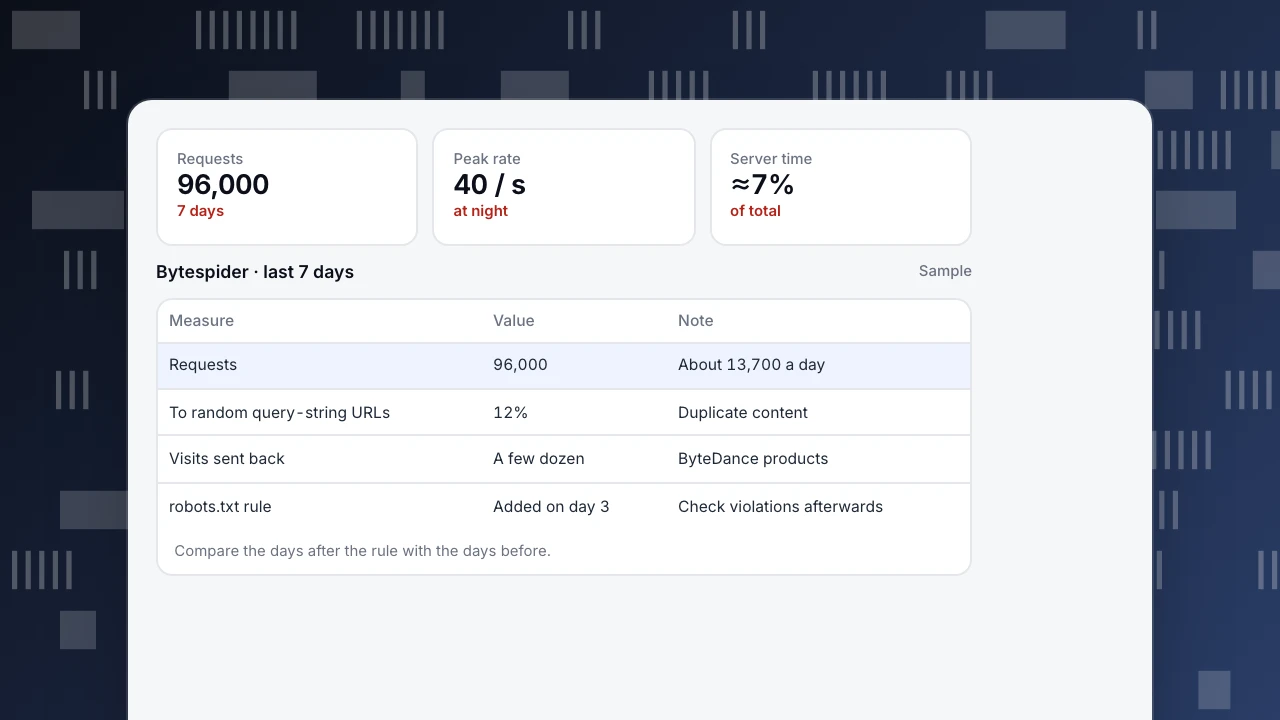
A content site's 7 days of server-side data (sample numbers):
- Bytespider: 96,000 requests, peaking at 40 per second at night
- Share of server time: about 7% of total request processing time
- Wasted requests: 12% went to URLs with random query strings that serve duplicate content
- Human visits referred by ByteDance products: a few dozen
On day 3 the site added a robots.txt rule:
User-agent: Bytespider
Disallow: /
Then check, do not assume. Compare requests in the days after the change with the days before, and look for fetches of paths the rule disallows. If requests continue at a similar rate after a few days (crawlers re-read robots.txt periodically), the rule is not being followed and you need to enforce it on the server.
Requests
96,000
7 days
Peak rate
40 / s
at night
Server time
≈7%
of total
Bytespider · last 7 days
Sample| Measure | Value | Note |
|---|---|---|
| Requests | 96,000 | About 13,700 a day |
| To random query-string URLs | 12% | Duplicate content |
| Visits sent back | A few dozen | ByteDance products |
| robots.txt rule | Added on day 3 | Check violations afterwards |
Compare the days after the rule with the days before.
Your options
The table below compares the options, from softest to strongest.
| Option | How | Strength | Limit |
|---|---|---|---|
| robots.txt rule | User-agent: Bytespider / Disallow: / | States your choice; zero cost | Only works if the crawler follows it |
| Fix crawl traps | Canonical URLs, block random query strings | Cuts wasted requests for all crawlers | Does not reduce wanted fetches |
| Rate limit | Requests per second per user agent at CDN or server | Protects performance | Needs tuning |
| Block at CDN or firewall | Deny by user agent | Enforced, whatever the crawler does | Misses crawlers that hide their identity |
| Behavior-based bot protection | CDN bot management | Catches disguised bots | Cost, possible false positives |
Start with robots.txt and measure; escalate only as far as you need.
Choosing
- If it reads a lot but your server copes: a robots.txt rule states your choice; watch compliance.
- If it slows your site: rate-limit it at the CDN or web server, whatever robots.txt says.
- If it ignores your rules: block it at the CDN or firewall by user agent. Many CDNs offer a ready-made switch for AI crawlers.
- Keep search crawlers separate. Never use a rule broad enough to catch Googlebot or Bingbot; check your firewall rules against Bingbot and Googlebot verification.
Blocking by user agent stops only requests that say who they are. Traffic that hides its identity needs behavior-based bot protection.
Seeing Bytespider in TapCub
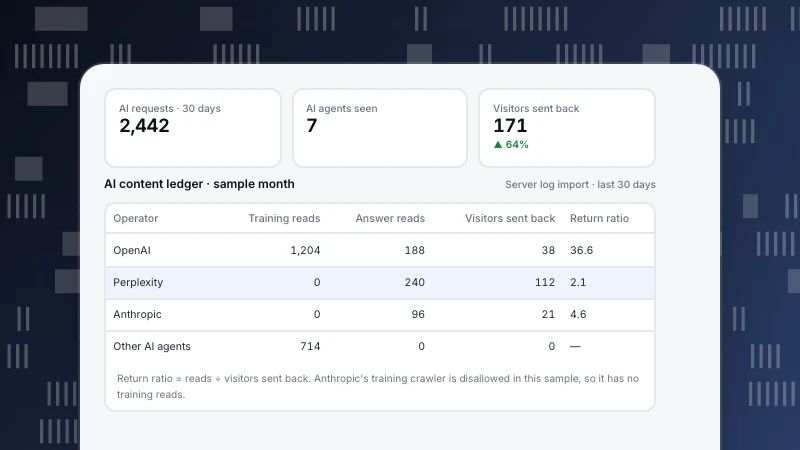
- Web analytics › Bots: on All bots, Bytespider's requests, pages, most common status code and trust level; on AI & agents, the AI content ledger compares each operator's reads with human visitors sent back.
- Monitoring › Crawler compliance: compares fetches with your rules file and lists three kinds of violation: fetching while blocked globally, fetching a disallowed path, and fetching faster than a declared delay. Open a violating row to copy a block snippet for your server.
- Crawlers that do not run JavaScript are visible only with server collection or a log import.
Related: Meta-ExternalAgent, Google-Extended and the AI crawler ledger.
Was this article helpful?
We use your answers to fix and expand this page.
Couldn’t send. Please try again in a minute.
Thanks for the feedback. We’ll use it to improve this page.You’ve already sent feedback on this page. Thanks.

Customer Experience Consultant
Writes about live chat, visitor conversations, and self-service, sharing practical ways to make customer communication clearer and more effective.