Try it on your own data
Every report in this article is in the free plan. One snippet for web and apps, up to 10 sites.
Start freeGood feedback questions are short, ask one thing at a time and can be answered in a few seconds. What you ask decides what you get: a satisfaction question gives you a score, a question about reasons gives you something to fix. Below: 20 questions grouped by purpose, wording rules with rewrites and a worked example.
What you will learn
- Name the decision first, and drop any question that does not feed one
- Ask one thing at a time and avoid leading words
- Pair a rating with one open question; the score gives the trend, the comments give the fix
Pick the purpose before the question
The question you ask decides what you get back. Ask "How satisfied are you?" and you get a number. Ask "What nearly stopped you?" and you get a reason. Neither is better in general; each answers a different question, so start from the decision you want to make.
| If you want to know… | Ask for… | You get | Typical format |
|---|---|---|---|
| Did we help? | A rating, then a reason | A score to track, plus what drove it | 1–5 rating + one open question |
| Why people stall at the start | What they tried to do and what got in the way | Specific friction | Open |
| Whether the product matters to them | How they would feel without it | A signal of value, not mood | Three-option choice |
| What to build or fix | What they do today and what is missing | Needs in their own words | Open, then choice |
| Why they did not buy or stay | The main reason, with room for "other" | A ranked list of blockers | Choice + other |
If you cannot name the decision a question feeds, drop the question. A survey with six questions that each feed a decision beats one with sixteen that feed none.
| If you want to know… | Ask for… | You get |
|---|---|---|
| Did we help? | A rating, then a reason | A score to track, plus what drove it |
| Why people stall at the start | What they tried to do and what got in the way | Specific friction |
| Whether the product matters to them | How they would feel without it | A signal of value, not mood |
| What to build or fix | What they do today and what is missing | Needs in their own words |
| Why they did not buy or stay | The main reason, with room for other | A ranked list of blockers |
Start from the decision; each question should feed one.
20 feedback questions by purpose
Replace {product} and {task} with your own. Formats are suggestions: an open question gives detail but is harder to count; a closed one is easy to count but only tells you about the options you listed.
| # | Purpose | Question | Format |
|---|---|---|---|
| 1 | After support | How satisfied are you with the help you received today? | Rating 1–5 |
| 2 | After support | Was your question resolved? | Yes / Partly / No |
| 3 | After support | What could we have done better? | Open |
| 4 | Getting started | What were you trying to do when you signed up? | Open |
| 5 | Getting started | What, if anything, was confusing when you got started? | Open |
| 6 | Getting started | How easy was it to set up {product}? | Rating 1–5 |
| 7 | Product value | How would you feel if you could no longer use {product}? | Very disappointed / Somewhat / Not disappointed |
| 8 | Product value | What do you use {product} for most often? | Open |
| 9 | Product value | If you could change one thing about {product}, what would it be? | Open |
| 10 | Needs | What do you do today when {product} can't do {task}? | Open |
| 11 | Needs | Which of these would help you most: {A}, {B} or {C}? | Choose one |
| 12 | Needs | How often do you do {task}? | Daily / Weekly / Monthly / Rarely |
| 13 | Website | Did you find what you were looking for today? | Yes / No |
| 14 | Website | If not, what were you looking for? | Open |
| 15 | Buying | What, if anything, nearly stopped you from buying? | Open |
| 16 | Buying | What information was missing before you decided? | Open |
| 17 | Loyalty | How likely are you to recommend {company} to a friend or colleague? | 0–10 |
| 18 | Loyalty | What is the main reason for your score? | Open |
| 19 | Leaving | What is the main reason you are cancelling? | Choice + other |
| 20 | Leaving | What would have made you stay? | Open |
Question 17 is the standard Net Promoter question. Its 0–10 scale puts 9–10 in promoters, 7–8 in passives and 0–6 in detractors; the score is the percentage of promoters minus the percentage of detractors. If you use it, pair it with question 18, because the number alone does not say what to fix.
Questions 4, 14, 15 and 16 are the least obvious and often the most useful: they ask about intent, not opinion. For post-service questions in more detail, including what not to ask, see customer service questions.
Rules for wording a question
Pew Research Center's guidance on writing survey questions covers the failures that show up in feedback forms too. Five rules, each with a rewrite:
| Problem | Weak question | Better question |
|---|---|---|
| Two things at once (double-barreled) | How satisfied are you with our speed and quality of support? | How satisfied are you with the speed of the help? (ask quality separately) |
| Leading or loaded wording | How great was your experience with our team? | How would you rate your experience with our team? |
| Vague | Do you like our site? | Did you find what you were looking for today? |
| Insider words | Was the onboarding flow frictionless? | How easy was it to get started? |
| No room for "other" | Why are you leaving? (three fixed options) | Why are you leaving? (options + "Other: ___") |
Pew also notes that wording can shift answers substantially, and that closed lists should stay short, around four or five options. Order matters as well: earlier questions can colour later ones, so ask the open question before a related closed one, and keep scales the same direction throughout.
Open or closed: use both, in that order
Open questions let people answer in their own words, and are best for finding things you did not think of. Closed questions are easy to count and compare over time, but the options you offer shape the answers. The practical way to combine them, which Pew describes as a pilot approach, is to run an open question first with a small group, read the answers, and then turn the frequent ones into the options of a closed question.
For ongoing feedback, pair a rating with one optional open question: "How satisfied were you? (1–5)" and then "What could we have done better?" Two questions are enough. The rating gives you a trend; the comments tell you what to change.
Worked example: a score alone vs a score plus a reason
Sample data: 200 post-chat ratings, 1–5, for one month.
| Score | Responses |
|---|---|
| 5 | 90 |
| 4 | 50 |
| 3 | 30 |
| 2 | 18 |
| 1 | 12 |
The average is (90×5 + 50×4 + 30×3 + 18×2 + 12×1) ÷ 200 = 788 ÷ 200 = 3.94. If you count scores of 4 or 5 as satisfied, that is 140 ÷ 200 = 70%; scores of 1 or 2 are 30 ÷ 200 = 15%. From the score alone you know that 15% are unhappy, and nothing about why.
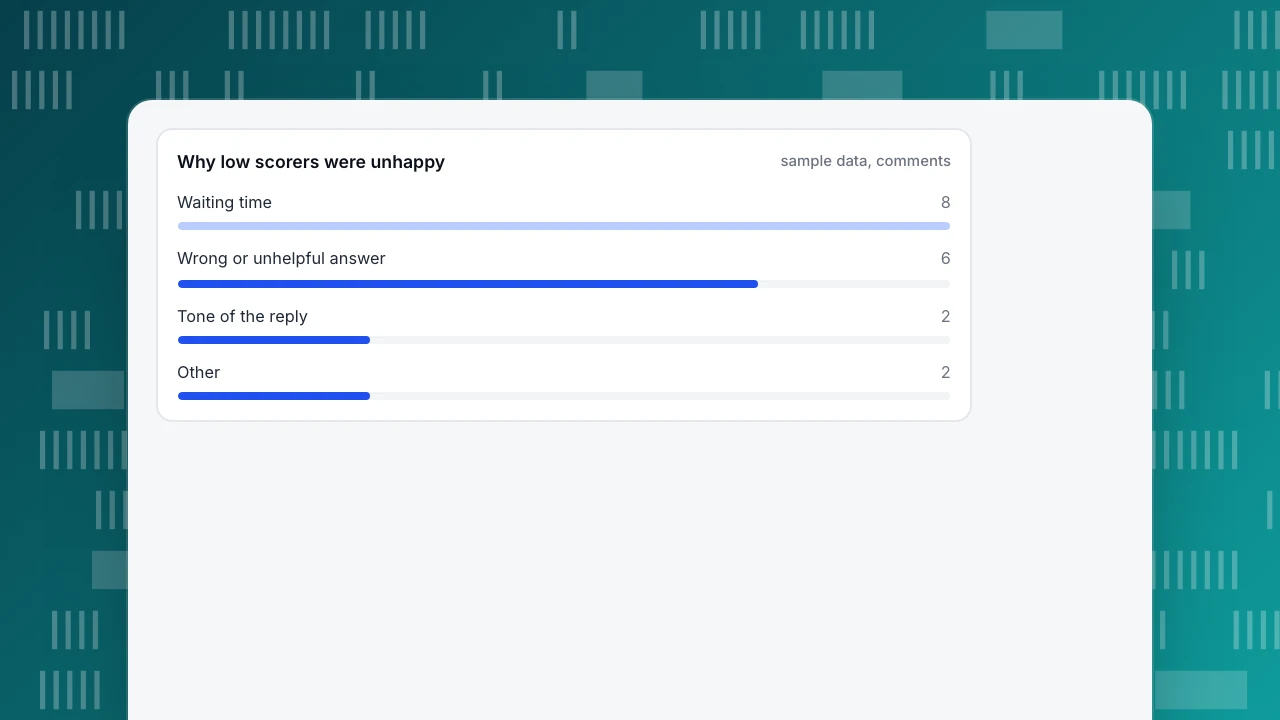
Now add the optional "What could we have done better?" question. Of the 30 low scorers, 18 left a comment. Reading and tagging those 18:
| Reason in the comment | Comments | Share of 18 |
|---|---|---|
| Waiting time | 8 | 44% |
| Wrong or unhelpful answer | 6 | 33% |
| Tone of the reply | 2 | 11% |
| Other | 2 | 11% |
8 + 6 + 2 + 2 = 18. Waiting is the largest reason (8 ÷ 18 = 44%), so the first change to try is response time, not agent tone. One caution: only 18 of 30 low scorers explained, so these shares describe the people who commented, not every unhappy visitor. Treat them as a direction to test, not as exact proportions.
Why low scorers were unhappy
sample data, commentsWhen and where to ask
- Right after the experience. Ask while the conversation or purchase is fresh and the question can refer to it ("the help you received today").
- One question at the moment, a short follow-up if they continue. A rating plus one open question is a good ceiling for an in-flow ask; longer surveys belong in an email people choose to open.
- Ask the right people. A question about onboarding goes to new users, not to everyone; a question about leaving goes to people who are cancelling.
- Let people skip. Make the open question optional; a forced answer produces filler.
- Tell people what you did with it. A line like "Because of your feedback, we now reply within 10 minutes" (when true) shows people their answers are read.
Common mistakes
- Asking what the data already shows. "Which pages did you visit?" is in your analytics; ask why they left, not where they went. For the behaviour side see user friction.
- Leading questions. "How great was…" tells people what to say.
- Too many questions. Each extra question tends to lower the number of people who finish.
- Only asking happy people. A thank-you page after purchase never hears from the people who abandoned the cart.
- Collecting answers and not reading them. Free-text comments are qualitative data; see qualitative data examples for how to tag them and customer needs analysis for turning them into needs.
- Reading the score as sentiment. A rating and a comment can disagree; see customer sentiment.
How to do this in TapCub
Take the 200-rating example into TapCub's live chat. TapCub is not a survey tool: it does not run NPS or CES surveys, so questions about onboarding, pricing or leaving need your own survey form. What it does record is the satisfaction rating of each chat, and it keeps the conversation next to it.
- Let visitors rate. After a conversation is resolved, the visitor can give a score from 1 to 5 within 24 hours. A conversation can be rated once.
- See the trend. In Live chat › Reports, satisfaction is the average of those scores, to one decimal; 3.94 in the example would show as 3.9. Each metric shows its change against the previous period.
- Find the low scores. Open Live chat › Inbox, go to Resolved and read the satisfaction score on each conversation. Read the 1s and 2s first.
- Find the "why" in the conversation. TapCub stores a number, not a comment, so the reason is in the transcript: read how long the visitor waited, whether an answer was wrong, and how the agent wrote. Tag each one the way the example does.
- See who it was. The visitor panel shows source, current page and the last two days of browsing, and opens the visitor's profile in analytics, so a low score comes with the journey that led to it.
- Compare agents. The agent workload table lists each person's satisfaction next to their average first response, which tests the "waiting" reading directly. Where AI answered the whole chat, the score is recorded against the AI, not an agent.
For how to move the score itself, see improve CSAT.
FAQ
What are good feedback questions to ask customers?
Short ones that each feed a decision: a rating of the help they got, a yes/no on whether it was resolved, and an open "What could we have done better?" For buying and leaving, ask for the main reason: "What nearly stopped you from buying?"
How many feedback questions should a survey have?
As few as it takes to make the decision you have in mind. For an in-flow ask, one rating plus one optional open question is enough. If a question does not feed a decision, remove it, because extra questions tend to lower completion.
What is the difference between open and closed feedback questions?
An open question lets people answer in their own words and surfaces things you did not expect, but it is harder to count. A closed question offers options and is easy to compare over time, but only covers what you listed. Use an open question first, then turn frequent answers into options.
How do I avoid leading questions?
Ask for a rating or a fact, not for agreement with a judgement. "How would you rate your experience?" is neutral; "How great was your experience?" is leading. Ask about one thing at a time, avoid words that carry emotion, and keep the scale direction consistent.
When should I ask for feedback?
Right after the experience you are asking about, while it is fresh: straight after a chat, after setup, or at cancellation. Ask only the people who had that experience.
See also: How to Collect User Feedback: Ask After the Task, Then Check What They Did.
Sources
- Pew Research Center. Writing Survey Questions: double-barreled and loaded wording, open vs closed questions, option-list length and question order. Checked 2026-11-18.
- Net Promoter System. Measuring Your Net Promoter Score: the recommend question, 0–10 scale, promoter / passive / detractor groups and the score formula. Checked 2026-11-18.
Was this article helpful?
We use your answers to fix and expand this page.
Couldn’t send. Please try again in a minute.
Thanks for the feedback. We’ll use it to improve this page.You’ve already sent feedback on this page. Thanks.

Product Analyst
Focuses on event analysis, conversion funnels, and retention, using clear metric definitions and structured analysis to explain product performance.