Try it on your own data
Every report in this article is in the free plan. One snippet for web and apps, up to 10 sites.
Start freeAn AI visibility audit answers three questions: can AI crawlers fetch your pages, what do AI assistants cite, and how many visits did those citations send? Run it as a five-step checklist, not a single score, because crawl access, citations and conversions fail for different reasons. Below: each step, a counted crawler example, a full checklist and the mistakes that mislead.
What you will learn
- Separate the measurable half (crawlers, referred visits, conversion) from the sampled half (what assistants say)
- Crawls are not citations: a page can be fetched thousands of times and never quoted
- Decide per crawler by purpose, since training, search and user-triggered fetches are different things
What does an AI visibility audit check?
An AI visibility audit answers three questions in order: can AI crawlers reach your pages, what do AI assistants cite, and how many visits did those citations send? It is a checklist you can repeat every quarter, not a score. The concept itself, and why it matters, is covered in AI visibility; this article is the procedure.
The audit has two halves that need different methods:
- The measurable half is in your own data: which crawlers fetched which pages and what status code they got, and which human sessions arrived from AI assistants.
- The sampled half is what assistants actually say about you. No log shows it. You find out by asking a fixed set of questions and recording the answers.
A single "visibility score" blends the two halves and hides which one failed. Keep them separate: a page that is blocked cannot be cited, and a page that is fetched ten thousand times but never cited has a different problem.
| Question | Where to look | Method |
|---|---|---|
| Can AI crawlers fetch your pages? | robots.txt, status codes, page HTML | Measure |
| Which crawlers actually read you? | Crawler log or bot report | Measure |
| What do assistants cite? | A fixed set of 15 to 25 prompts | Sample on a schedule |
| How many visits came from AI? | Human sessions from AI sources | Measure |
| Did those visits convert? | Goals for AI-referred sessions | Measure, with enough volume |
Four of the five checks come from data you already collect; only the citation check is manual.
Step 1: Can AI crawlers fetch your pages?
Start with the file that controls access, because everything else depends on it.
- Open
/robots.txton your live domain and read the rules for each AI crawler you care about. They are separate user agents with separate purposes. OpenAI's documentation lists OAI-SearchBot (crawls so that sites can appear in ChatGPT search features), GPTBot (content that may be used to train its models) and ChatGPT-User (fetches a page when a user asks, where robots.txt rules may not apply). Blocking GPTBot is a training decision, while blocking OAI-SearchBot keeps you out of ChatGPT's search answers; decide per crawler, not all at once. Each crawler is explained in its own article, for example GPTBot, and the vocabulary is in AI crawler. - Check that robots.txt itself loads. Under the Robots Exclusion Protocol (RFC 9309), a crawler that cannot reach robots.txt because of a server error must assume complete disallow. A robots.txt that returns an error can therefore block everything.
- Check status codes for your key pages. A page that answers 200 to a browser and 403 to a crawler is invisible to it. Your server log or a crawler report shows what each bot actually received.
- Check that the content is in the HTML. Many crawlers do not run JavaScript. If your product descriptions load client-side, they may not be readable.
Robots.txt is a request, not a lock: RFC 9309 states that its rules are not a form of access authorization. Treat it as a statement of intent, and verify crawler behaviour in logs.
Step 2: Should you publish an llms.txt?
Treat it as optional and check what it does for you. The llms.txt proposal places a Markdown file named llms.txt at the root of a site, starting with a title and followed by a short summary and links to the pages worth reading. It is a proposal, not a standard that every assistant honours, so the audit question is not "do we have one" but "does it help, and is it accurate?"
Audit checks:
- The file loads at
/llms.txtwith a 200 status. - It links only to pages that exist and are current.
- The descriptions match the pages.
- You have looked in your logs for AI crawlers fetching it. If none do, it is a harmless document, not a lever.
Setup and trade-offs are covered in the llms.txt guide.
Step 3: Which crawlers actually read your site?
Count fetches by operator and by purpose. Crawlers differ: some read for training, some to answer questions, some for search. The count that matters is not total bot traffic but who is reading, what for, and what they return.
Sample data: three AI operators over one month.
| Operator | Purpose | Crawls | Visits sent back | Crawl-to-visit rate | Reads per visit |
|---|---|---|---|---|---|
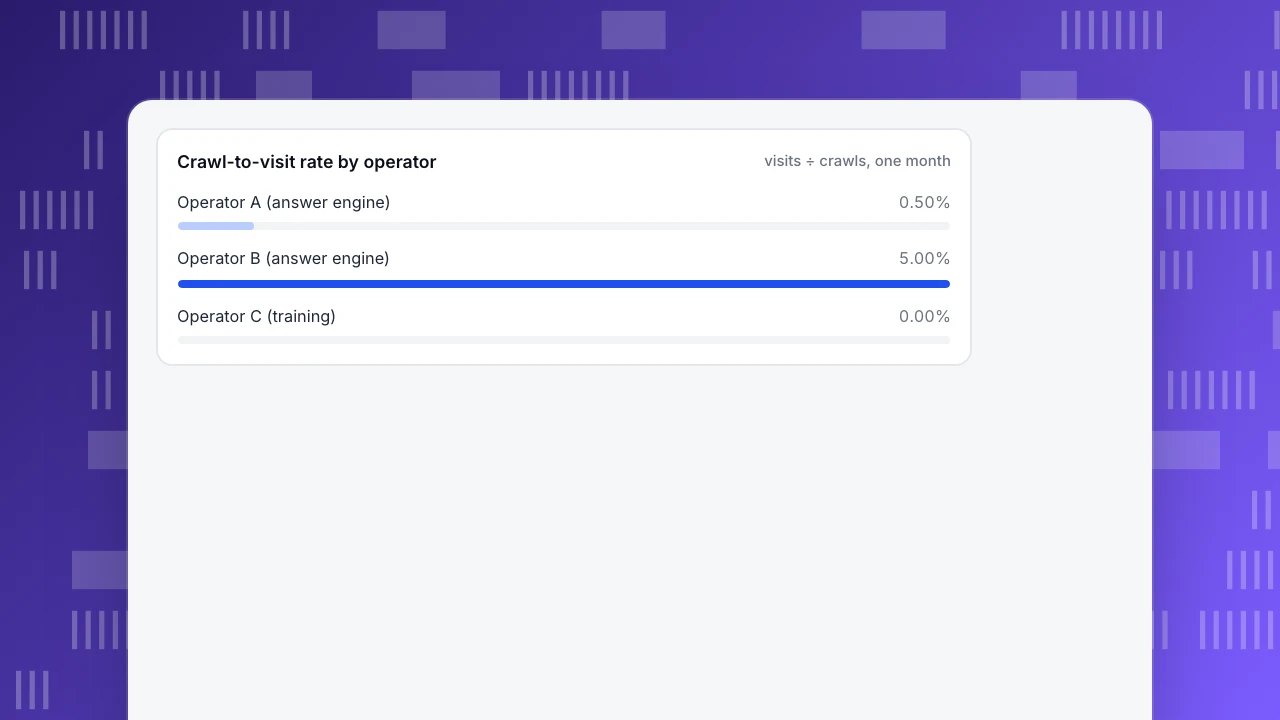
| Operator A | Answer engine | 18,000 | 90 | 0.50% | 200 : 1 |
| Operator B | Answer engine | 3,000 | 150 | 5.00% | 20 : 1 |
| Operator C | Training | 6,000 | 0 | 0.00% | no visits |
| Total | 27,000 | 240 | 0.89% | 112.5 : 1 |
Each rate is visits ÷ crawls: 90 ÷ 18,000 = 0.50%, 150 ÷ 3,000 = 5.00%, 0 ÷ 6,000 = 0%, and 240 ÷ 27,000 = 0.89%. The reads-per-visit column runs the other way: 18,000 ÷ 90 = 200, 3,000 ÷ 150 = 20, and 27,000 ÷ 240 = 112.5.
Reading it: operator A reads six times as often as B (18,000 ÷ 3,000) but returns far fewer visits. That is a pattern to investigate (are its fetches landing on pages people would click?) before blocking it. Operator C is a training crawler; it is not expected to send visitors, so a zero is not a failure. Decide per operator by purpose. Also check sitemap coverage: if your sitemap has 400 URLs and AI crawlers fetched 140 of them, coverage is 35.0%, and the unfetched 260 pages are candidates for a crawlability check.
Crawl-to-visit rate by operator
visits ÷ crawls, one monthStep 4: What do assistants actually cite?
This is the sampled half. Build a fixed prompt set and run it on a schedule.
- Write 15 to 25 questions your buyers really ask, in three groups: category questions ("how do I track X"), comparison or evaluation questions, and questions that name you.
- Run them the same way each time on the assistants your customers use, from a clean session, and note the date.
- Record four things per answer: whether you are mentioned, whether a page of yours is cited, whether the description is accurate, and which other sources are cited.
- Save the answers. Assistants vary between runs, so one answer is an anecdote; ten runs of the same prompt is data.
Then compare with your own data. For each cited page, open your analytics and see whether AI-referred human sessions landed on it. Pages that are cited but receive no visits may be cited without a link, or read without a click. Pages that receive AI visits but never appear in your prompt set show you questions you did not think of; add them.
Step 5: Did the visits convert?
Visits are an input; the audit should end at goals. Take AI-referred human sessions and measure what share reaches a goal, then compare with all sessions.
Sample data: 12,000 human sessions in the month; 240 arrived from AI assistants. Goal completions: 9 of the 240 AI-referred sessions (3.75%) and 300 of all 12,000 sessions (2.5%).
- AI share of human sessions: 240 ÷ 12,000 = 2.0%.
- AI-referred conversion rate: 9 ÷ 240 = 3.75%, against 300 ÷ 12,000 = 2.5% overall.
Nine conversions are too few to conclude anything. Rule of thumb: below about 30 conversions in the group, read the rate as a direction, not a result, and recheck after another month. If the rate stays above overall, AI visitors are worth more than their share suggests, and the cited pages deserve upkeep.
What does the full checklist look like?
| Check | What to look at | Pass if | If it fails |
|---|---|---|---|
| robots.txt loads | HTTP status of /robots.txt | 200, not 5xx | Fix the server first; an unreachable file blocks crawlers |
| Per-crawler rules | Each AI user agent in robots.txt | Allowed or blocked on purpose | Decide per purpose: search, training, user fetch |
| Key pages fetchable | Status codes received by crawlers | 200 for crawlers | Check firewall and bot rules |
| Content in HTML | Page source without JavaScript | Main text present | Server-render the content that matters |
| llms.txt (optional) | /llms.txt loads, links are current | Accurate, fetched in logs | Fix or drop it |
| Crawler log | Crawls, status codes, purpose by operator | You can name who reads you | Add server-side collection |
| Citations | Prompt set run on a schedule | Your pages cited and described correctly | Improve those pages |
| AI-referred visits | Human sessions from AI sources | Visits reach cited pages | Check links and landing pages |
| Conversion | Goals for AI-referred sessions | Enough volume to read | Wait or widen the period |
Which mistakes make an audit misleading?
- Treating crawls as citations. A crawler fetching a page means it was read, not that it was quoted or recommended. Only the prompt sample and AI-referred visits say anything about citation.
- Blocking everything because training crawlers send no visitors. Training and answer engines are different purposes; blocking one does not need to block the other.
- Auditing one assistant and generalising. Different assistants cite different sources. Cover the ones your customers use.
- Trusting a single score. A score that mixes crawl access, mentions and sentiment cannot tell you what to fix. Keep the checks separate.
- Not checking crawlers that do not run JavaScript. With only a page script you see only bots that execute it; others need server collection or a log import.
- One run, one conclusion. Assistants change between runs and over time. Re-run on a schedule and compare.
How do you run this audit in TapCub?
Take the sample site above. This is how its measurable half runs.
- See who reads you. Open Web analytics › Bots. On AI & agents, the AI content ledger lists each operator with reads (training crawlers and answer engines in separate columns), human visitors sent back and a return ratio. That ratio is reads ÷ visitors, the "reads per visit" column above.
- Read the visibility loop. On the AI visibility tab, the cards show AI crawls, AI-referred visits, Crawl→visit (visits ÷ crawls, the other direction from the ledger) and Sitemap coverage when a sitemap is set. Cited pages lists landing pages that received AI-referred visits.
- Count the people. Open Web analytics › Sources and its AI sources tab, which counts human sessions, not crawler requests, with the same definition as AI-referred visits.
- Check one crawler in detail. On All bots, open a crawler's pages and most common status code. For rule compliance, see Monitoring › Crawler compliance.
- Close the loop. Take the AI-referred sessions to Web analytics › Goals and compare conversion with all sessions.
Know the limits: with only the page script, TapCub sees only bots that run JavaScript, so status codes and non-JavaScript crawlers need server collection or a log import. TapCub counts crawls and visits; it does not run your prompt set or record what an assistant said about you, so step 4 stays manual.
FAQ
What is an AI visibility audit?
A structured check of whether AI crawlers can reach your content, what AI assistants cite when asked relevant questions, and how many visits those citations send. It is a repeatable checklist with separate pass or fail items, not a single score.
How do I check if my site is visible to AI?
Check robots.txt rules for each AI crawler, confirm key pages return 200 to crawlers, look at crawler counts in your logs or bot report, then run a fixed set of questions in the assistants your customers use and record what they cite.
How often should I run an AI visibility audit?
Run the measurable checks monthly, since they come from data you already collect, and the prompt sample quarterly or after major content changes. Save each run so you can compare results over time.
Does blocking GPTBot remove my site from ChatGPT?
According to OpenAI, GPTBot relates to content that may be used to train models, while OAI-SearchBot relates to ChatGPT search results. Blocking GPTBot is a training decision; blocking OAI-SearchBot affects whether you appear in ChatGPT search.
Do I need llms.txt?
Not necessarily. It is a proposal that not every assistant uses. If you publish one, keep it accurate and check your logs for whether AI crawlers fetch it.
See also: AI Visibility Tracking: What to Measure and How to Do It.
See also: AI Brand Visibility Software: How to Evaluate It Before You Buy.
Sources
- OpenAI. Overview of OpenAI crawlers. Purposes of OAI-SearchBot, GPTBot and ChatGPT-User and how robots.txt applies. Verified 2026-11-18.
- M. Koster, G. Illyes, H. Zeller & L. Sassman. RFC 9309: Robots Exclusion Protocol. Section 1 (not access authorization) and section 2.3.1.4 (unreachable robots.txt). Verified 2026-11-18.
- Jeremy Howard. The /llms.txt file. The llms.txt proposal. Verified 2026-11-18.
Was this article helpful?
We use your answers to fix and expand this page.
Couldn’t send. Please try again in a minute.
Thanks for the feedback. We’ll use it to improve this page.You’ve already sent feedback on this page. Thanks.

Product Experience Specialist
Explores usability, user journeys, and feature adoption through practical examples of onboarding and everyday product use.