Try it on your own data
Every report in this article is in the free plan. One snippet for web and apps, up to 10 sites.
Start free"Visitor tracking" can mean counting traffic, following each visit, tying visits to customers, or guessing which company sent them. This guide separates website visitor tracking into four layers, shows what each can see and what it needs, and where privacy changes what you should collect.
What you will learn
- Counts, sessions and identified users are analytics; company identification is a separate sales tool
- A sessions log shows what happened in a visit, not who the visitor is
- How returning visitors are recognised (cookie, hash or login) changes every visitor count
What website visitor tracking means
Website visitor tracking covers very different tools. Some count visitors and pageviews; some record each visit as a path through the site; some tie visits to a logged-in account; and some try to name the company or person behind an anonymous visit. Vendor lists often mix all four, which is why two "visitor tracking tools" can have almost nothing in common.
It helps to separate the layers first, then decide which ones you actually need.
Four layers of visitor tracking
- Aggregate counts. Visitors, sessions, pageviews, sources, countries and devices. Needs only a page script and no stored identity. Answers how much traffic, from where.
- Sessions and paths. Each visit as a sequence: entry page, pages, events, exit, duration. Answers what people did, and lets you sample real visits when a total looks wrong.
- Identified users. After someone logs in or signs up, visits are tied to their account across devices. Answers what customers do, not just visitors.
- Company or person identification. Tools that match an anonymous visit to a company (usually from the IP address) or to a person (from third-party data). Mostly used by B2B sales teams. It is a separate category with heavier privacy questions.
The table lists what each layer needs and what it can show. Layers 1–3 belong to analytics; layer 4 is a sales tool.
| Layer | What it shows | What it needs | Privacy weight |
|---|---|---|---|
| Aggregate counts | Visitors, pageviews, sources, devices | Page script | ~ Light |
| Sessions and paths | Entry, pages, events, exit per visit | Page script, events | ~ Light to moderate |
| Identified users | Behaviour per customer across devices | Login and identify call | ~ Moderate |
| Company or person identification | Company or person behind a visit | IP lookup or third-party data | ✗ Heavy |
Layers 1–3 are analytics; layer 4 is a sales tool with separate legal questions.
Follow one visit
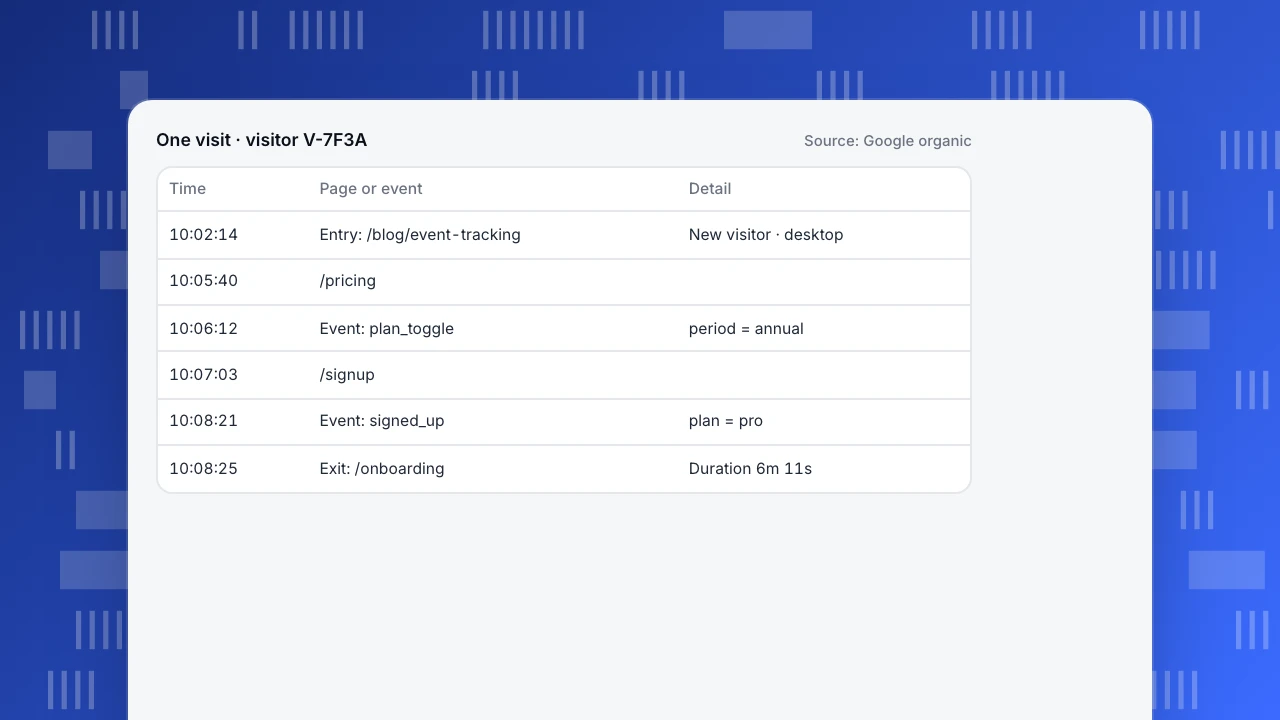
The example is one visit from a sessions log. It shows the entry page, the source, each page and event in order, and where the visitor left. Reading a handful of these is the quickest way to check whether tracking works: whether sign-up events fire, whether pages are missing, whether the source is right.
A sessions log answers "what happened in this visit", not "who is this". The visitor is shown as a code, not a name, until they log in.
One visit · visitor V-7F3A
Source: Google organic| Time | Page or event | Detail |
|---|---|---|
| 10:02:14 | Entry: /blog/event-tracking | New visitor · desktop |
| 10:05:40 | /pricing | |
| 10:06:12 | Event: plan_toggle | period = annual |
| 10:07:03 | /signup | |
| 10:08:21 | Event: signed_up | plan = pro |
| 10:08:25 | Exit: /onboarding | Duration 6m 11s |
How returning visitors are recognised
Recognising the same visitor on a second visit is where tools differ most:
- Cookies or local storage keep an id on the device. Accurate on one browser, lost when cleared, and subject to consent rules in many regions.
- Cookieless hashing derives an id from the network address and browser, often with a salt that rotates. It needs no stored id, but the same person on another device or network counts as a new visitor. See cookieless.
- Login ties visits across devices, but only for users who sign in. See identify.
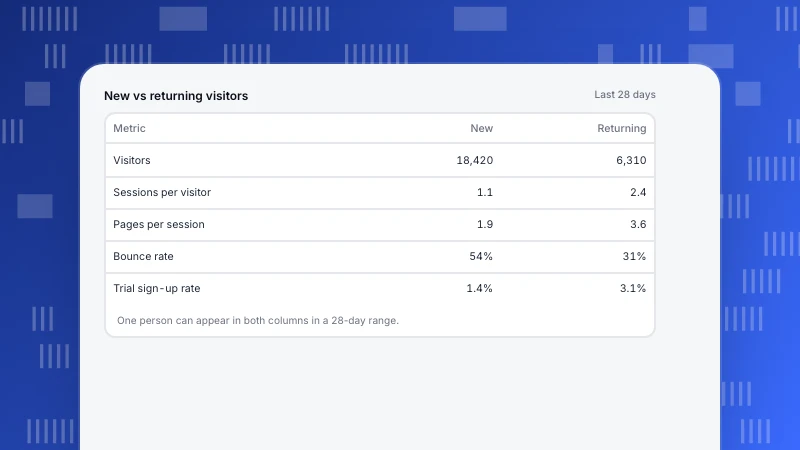
Each choice changes the unique visitor count, which is one reason numbers rarely match between tools (why UV never matches, new vs returning users).
Identify users after login
Most of the useful questions (which plan converts, which feature retains, which customers are slipping) are about customers, not anonymous visitors. Call identify when someone logs in or signs up, with your own user id, and later visits on any device join the same profile. Keep personal data such as email out of event properties: the user id is enough to join with your own database.
Company identification is a different tool
Tools that reveal "which company visited" look up the visitor's IP address against company networks, or match visitors to people through third-party data. Results are approximate (remote workers and mobile networks rarely map to an employer), and the practice raises consent and data-protection questions that depend on your jurisdiction and how the data is used. Treat it as a separate decision for sales and legal, not as part of analytics setup.
Visitor tracking in TapCub
TapCub covers layers 1–3. By default it runs at a cookie-free tier: visitors are separated with an HMAC of address and user agent, the script writes no cookie, and the address itself is not stored on events. It is truncated by default before a city lookup, then discarded. Global Privacy Control and Do Not Track are honoured by default (privacy).
The Sessions log groups visits by visitor, with entry, source, pages, events, errors and duration; if a visitor logged in, their sessions from other devices group under that user. Without a login, the same person on another device, browser or network counts as a different visitor (sessions). Realtime shows visitors with an event in the last 5 minutes and a live feed of time, page, source, country and device, without IP addresses or anything that identifies a person (realtime). TapCub does not identify companies or people from IP addresses. Choosing a tier: collection tiers.
FAQ
How can I track visitors on my website?
Add an analytics script for counts and sessions, define events for key actions, and identify users when they log in. Add company identification only if sales needs it and it fits your privacy obligations.
Can I see who visited my website?
Analytics shows visits, not names. You know who a visitor is only after they log in or submit their details. Company identification tools guess the company from the IP address, with limited accuracy.
Is website visitor tracking legal?
It depends on what you collect, where your visitors are and how you use the data. Aggregate, cookie-free analytics has the lightest requirements; check consent and notice obligations with counsel for your region.
Can I track visitors without cookies?
Yes. Cookieless analytics recognises visitors from a hashed network address and browser, with less accuracy across devices and days.
What is the difference between visitor tracking and session recording?
Visitor tracking records pages and events per visit. Session recording also captures the screen as a replay. They answer different questions and carry different privacy weight.
Was this article helpful?
We use your answers to fix and expand this page.
Couldn’t send. Please try again in a minute.
Thanks for the feedback. We’ll use it to improve this page.You’ve already sent feedback on this page. Thanks.

Data Analyst
Explores traffic sources, conversion funnels, and retention, using clear metric definitions and concrete examples to explain what the numbers mean.