Try it on your own data
Every report in this article is in the free plan. One snippet for web and apps, up to 10 sites.
Start freeReports built on raw analytics data inherit its problems: bots, test orders, duplicate events, internal visits and inconsistent labels. This guide lists eight cleaning techniques for web and product data, applies them to one month of orders, and shows how to stop the problems at the source.
What you will learn
- Remove bots, test data and internal traffic first, then duplicates by unique ID
- Standardise labels and time zones before you compare anything
- Keep the raw data, write down every cleaning rule, and fix the source where you can
Why analytics data needs cleaning
Analytics data is collected automatically from browsers, apps and servers. That makes it large and fast, but also messy: bots visit, staff test the checkout, a payment page reloads and sends the purchase twice, one campaign is tagged "LinkedIn" and another "linkedin". Each problem is small; together they can move a conversion rate by several points.
Cleaning means finding these records and removing, fixing or flagging them before you report.
Eight techniques
The table below lists eight techniques for web and product data, with the problem each solves.
| Technique | Problem it solves | Example |
|---|---|---|
| Filter bots | Crawlers counted as visitors | Exclude known and suspected bots |
| Exclude internal and test traffic | Staff and QA inflate counts | Exclude office address, staging host, test accounts |
| Deduplicate by ID | Events sent twice | Keep the first event per order ID |
| Standardise labels | Same value spelled differently | "LinkedIn", "linkedin" → linkedin |
| Normalise time zones | Days split differently by system | Report in one project time zone |
| Handle missing values | Blank properties | Label as unknown; fill only when certain |
| Validate types and ranges | Text in number fields, negative prices | Reject or quarantine invalid values |
| Review outliers | Extreme values distort averages | Check a $90,000 order before excluding it |
Apply in roughly this order, from removing junk to judging outliers.
A worked cleanup: one month of orders
An online shop compares its analytics purchase events with the order database (sample numbers):
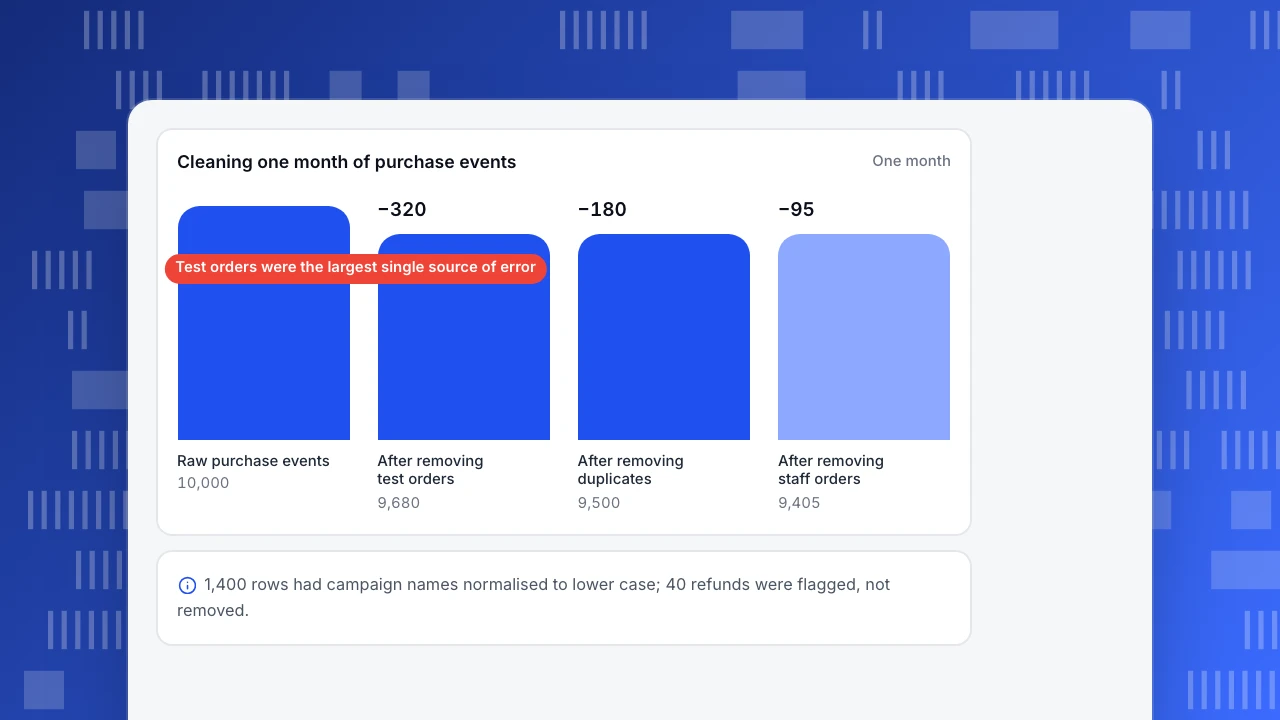
- 10,000 purchase events in analytics for the month
- 320 test orders from the staging checkout and QA accounts → removed
- 180 duplicates: the confirmation page fired twice on reload → removed by order ID
- 95 orders placed by staff for internal use → removed by account flag
- 1,400 rows with campaign names in mixed case ("Spring_Sale", "spring_sale") → normalised to lower case, not removed
- 40 refunded orders → kept, flagged with a refund property for revenue reports
Result: 9,405 clean orders, within 0.3% of the database. Before cleaning, analytics overstated orders by about 6%, and the "spring_sale" campaign looked like two smaller campaigns.
Cleaning one month of purchase events
One monthRaw purchase events
10,000
After removing test orders
9,680
After removing duplicates
9,500
After removing staff orders
9,405
The order to apply them
- Remove what should never be counted: bots, test data, internal traffic.
- Remove duplicates, by a unique ID.
- Standardise labels: case, spelling, channel names.
- Fix time zones and dates.
- Handle missing values: fill only when the value is certain, otherwise label as "unknown".
- Review outliers last, after the obvious errors are gone; when unsure whether a value is real, check with the data owner.
Keep the raw data; clean into a new view or report, and write down each rule.
Prevent dirt at the source
- A tracking plan with required properties and allowed values.
- Unique IDs on every order and server event, so duplicates can be dropped.
- Separate projects or flags for staging and test environments.
- One written UTM convention in lower case.
Cleaning on the way in with TapCub
- Bots: known bots and AI crawlers are excluded from human data by default; see Web analytics › Bots.
- Internal traffic and test paths: exclusion rules in Web analytics › Configuration › Web settings match address, path, hostname or user agent; Exclude myself stores your current address. App test devices go in App settings as a device rule.
- Duplicates from servers: server events carry an
insert_id(up to 36 characters); if the same ID arrives twice, the first copy wins. - Spotting problems: All-platform analytics › Data › Data quality shows collector rejects by reason, ingestion warnings, high-cardinality properties and tracking rules that suddenly stopped firing.
- Fixing labels without code: virtual properties in All-platform analytics › Data › Virtual events / props can map messy values into clean ones.
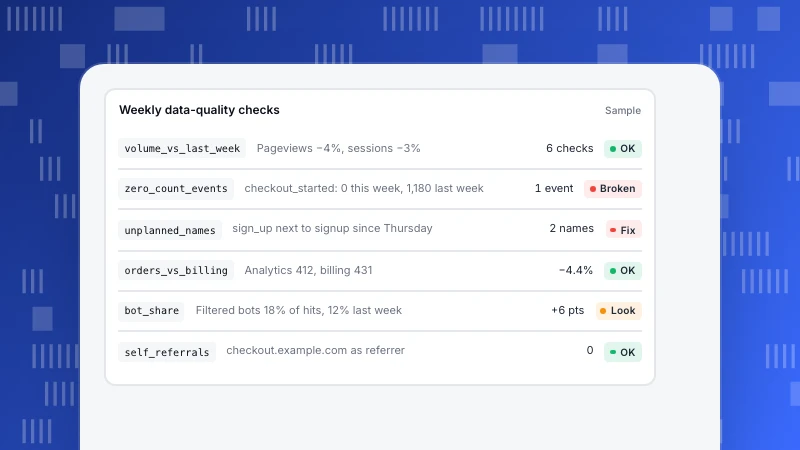
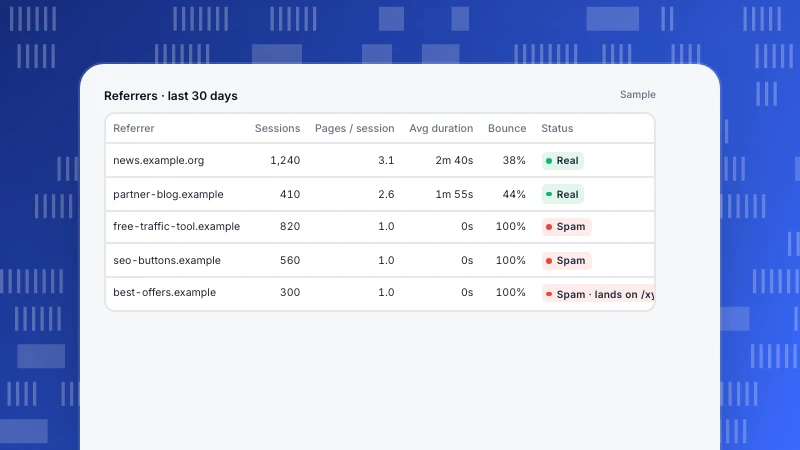
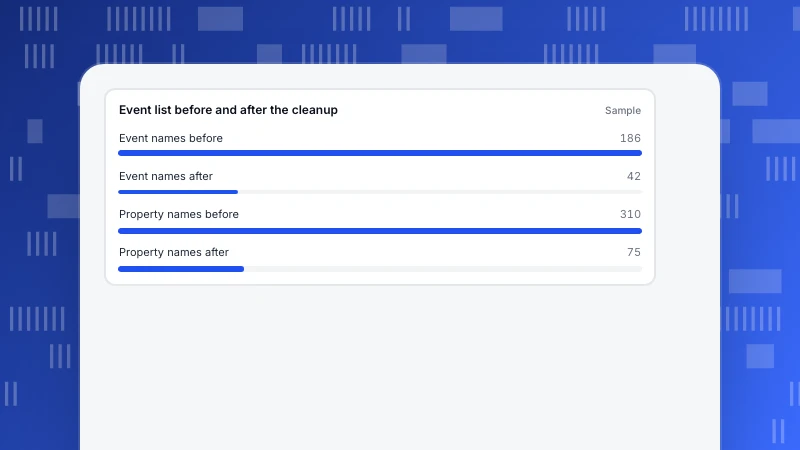
Related: data quality, referral spam and data taxonomy.
See also: What is data preparation? Steps, examples and common mistakes.
Was this article helpful?
We use your answers to fix and expand this page.
Couldn’t send. Please try again in a minute.
Thanks for the feedback. We’ll use it to improve this page.You’ve already sent feedback on this page. Thanks.

Product Experience Specialist
Writes about product experience, practical workflows, and growth, turning complex processes into clear steps for everyday decisions.