Try it on your own data
Every report in this article is in the free plan. One snippet for web and apps, up to 10 sites.
Start freeServer logs show what search engine crawlers actually request, not what a crawl tool assumes. This guide covers how to get the logs, verify that Googlebot is real, and answer six questions that turn raw lines into SEO fixes.
What you will learn
- Verify Googlebot by reverse then forward DNS before counting anything
- Compare each section's crawl share with its organic traffic share
- Fix 5xx and wasted URL spaces before anything else
Why look at logs
Search Console shows a sample of Google's view. A site crawler shows what a bot could find. Server logs show what every crawler did request, with the status code and response time you returned. That makes them the only source for questions like "which sections does Googlebot spend its time on?" or "did AI crawlers obey our robots.txt?"
Get the logs
Ask for raw access logs from the web server, load balancer or CDN, covering at least two to four weeks. The common combined format has, in order: client address, two placeholders, time, request line, status, bytes, referrer and user agent; some servers add a response time at the end. If a CDN serves most pages from cache, its logs, not the origin's, show what crawlers fetched.
Keep the logs secure: they contain visitor addresses. For SEO you only need the lines from crawlers.
Verify Googlebot
Anyone can send a user agent that says Googlebot. Google's method is a two-step DNS check: a reverse lookup on the address must return a host under googlebot.com, google.com or googleusercontent.com, and a forward lookup on that host must return the same address. For large volumes, match addresses against Google's published IP range files instead (verifying Google crawlers).
The commands below count statuses and top paths for lines claiming Googlebot, then verify one address. In the combined format, field 9 is the status and field 7 the path.
# Requests claiming Googlebot, by status code
grep 'Googlebot' access.log | awk '{print $9}' | sort | uniq -c | sort -rn

# Paths Googlebot requested most
grep 'Googlebot' access.log | awk '{print $7}' | sort | uniq -c | sort -rn | head -20

# Verify one address: reverse lookup, then forward lookup
host 66.249.66.1
host crawl-66-249-66-1.googlebot.com
Six questions to ask
The table lists six questions that cover most of what log analysis is for, what to look at for each and the usual action. Work through them in order: fake bots first, so the rest of the numbers are about real crawlers.
| Question | Look at | Usual action |
|---|---|---|
| Are these crawlers real? | Reverse and forward DNS, published IP lists | Exclude fakes from analysis; block at server if abusive |
| What status codes do crawlers get? | Share of 3xx, 4xx, 5xx by crawler | Fix 5xx; update links that redirect or 404 |
| Where does crawling go? | Fetches by section vs organic visits | Block or consolidate low-value sections |
| Which URL spaces waste requests? | Parameters, internal search, facets, calendars | robots.txt, canonicals, fewer links |
| Which important pages are never crawled? | Sitemap URLs with no fetches | Add internal links; check sitemap and robots.txt |
| How fast do we respond to crawlers? | Response time by section | Cache or speed up slow templates |
Start with the first question so every later number is about real crawlers.
Crawl share vs value
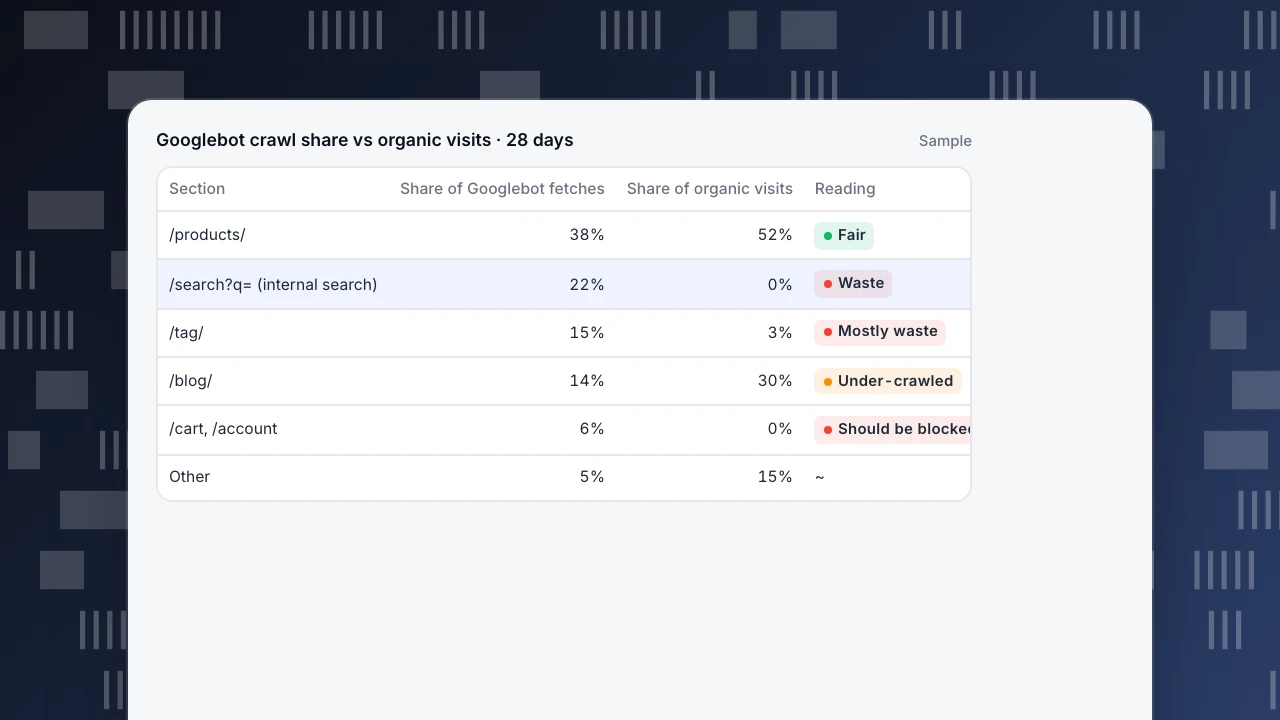
A useful single view compares each section's share of verified Googlebot fetches with its share of organic visits. In the example, internal search results take 22% of Googlebot's requests and bring no organic visits, and tag pages take 15% for 3% of visits. Meanwhile blog posts get 14% of crawling and bring 30% of organic visits. The fix: block internal search in robots.txt, consolidate thin tag pages, and link new posts from frequently crawled pages. See crawl budget and how often Google crawls.
Googlebot crawl share vs organic visits · 28 days
Sample| Section | Share of Googlebot fetches | Share of organic visits | Reading |
|---|---|---|---|
| /products/ | 38% | 52% | Fair |
| /search?q= (internal search) | 22% | 0% | Waste |
| /tag/ | 15% | 3% | Mostly waste |
| /blog/ | 14% | 30% | Under-crawled |
| /cart, /account | 6% | 0% | Should be blocked |
| Other | 5% | 15% | ~ |
Log analysis in TapCub
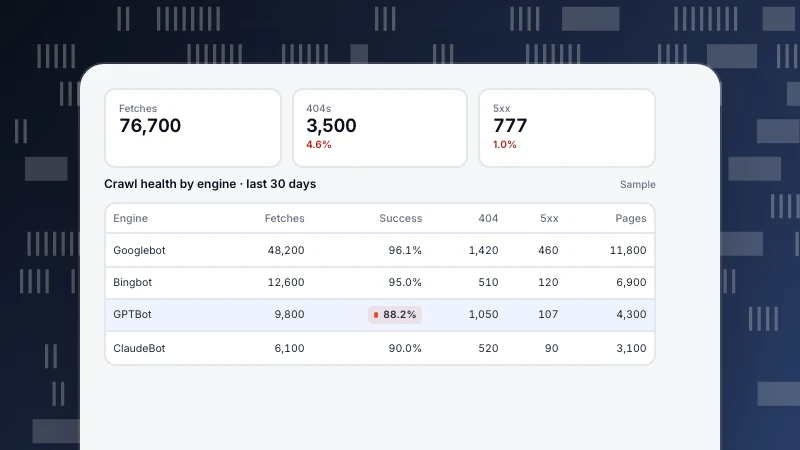
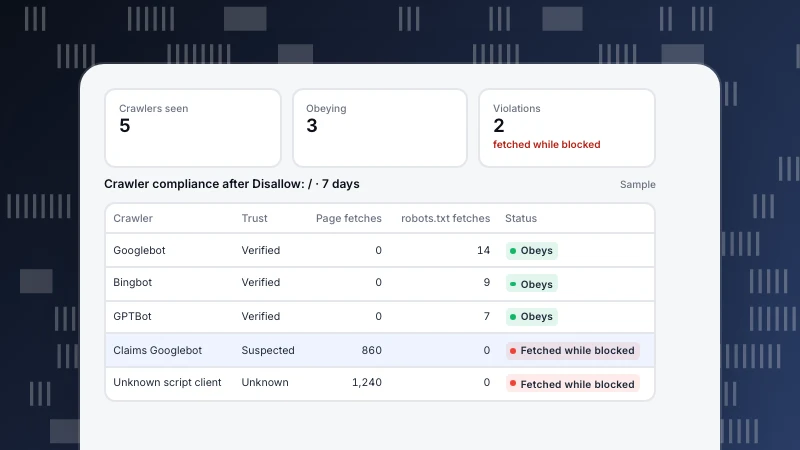
Log import accepts combined-format lines (up to 5,000 per request and a 2 MB body), with an optional trailing duration stored as response time. Only lines classified as bots are stored; the response reports how many lines were parsed, accepted and skipped, so a format mismatch is easy to spot (log import). The imported records feed Crawl health (fetches, success rate, distinct pages, 404s and 5xx by engine, with most fetched pages and sitemap coverage) and Crawler compliance, which compares fetches with your robots.txt (crawl health & compliance). Bots are reported separately from visitors, with trust levels of verified, suspected and unknown. More in robots.txt disallow all, bot and AI crawler.
FAQ
What is log file analysis in SEO?
Reading server access logs to see which URLs search engine crawlers request, how often, and what status codes and response times they get.
How do I get my server log files?
From your web server, load balancer or CDN, usually as daily access log files. Ask your host or developer if you do not have access.
How do I know a Googlebot request is real?
Do a reverse DNS lookup on the address, check the host ends in googlebot.com, google.com or googleusercontent.com, then do a forward lookup and confirm it returns the same address.
How much log data do I need?
Two to four weeks is usually enough to see patterns. Larger sites can work with a sample of days.
Do I need a special tool for log analysis?
Not to start. Command-line tools or a spreadsheet answer the basic questions; a tool helps when logs are large or you want ongoing reports.
Was this article helpful?
We use your answers to fix and expand this page.
Couldn’t send. Please try again in a minute.
Thanks for the feedback. We’ll use it to improve this page.You’ve already sent feedback on this page. Thanks.

Technical Engineer
Focuses on tracking code, SDKs, and API integrations, with practical guidance on implementation checks and troubleshooting.