Try it on your own data
Every report in this article is in the free plan. One snippet for web and apps, up to 10 sites.
Start freeApp versioning is how you number and track mobile releases: a user-facing version and an always-increasing build number. This guide adapts semantic versioning to apps, lists nine practices, shows which metrics to compare between versions, and walks through a staged rollout where a crash regression was caught at 10% of users.
What you will learn
- Separate user version and build number
- Use one version across iOS and Android
- Send the app version with every event and crash
- Roll out in stages and watch crash-free users
- Define a minimum supported version
What is app versioning?
App versioning is the system you use to number and track releases of a mobile app. Every release carries two identifiers: a user-facing version (for example 4.2.1) that people see in the store and in settings, and an internal build number that must increase with every upload. On iOS these are CFBundleShortVersionString and CFBundleVersion; on Android, versionName and versionCode.
Good versioning makes releases predictable for your team, tells users and support which build someone is on, and lets analytics compare behavior, crashes and retention release by release.
Semantic versioning for apps
Most teams adapt Semantic Versioning (SemVer): MAJOR.MINOR.PATCH.
| Part | Increase when | Example |
|---|---|---|
| MAJOR | Big redesigns, breaking changes to data or accounts, new paid tiers | 4.0.0 → 5.0.0 |
| MINOR | New features that keep existing behavior | 4.2.0 → 4.3.0 |
| PATCH | Bug fixes and small improvements | 4.3.0 → 4.3.1 |
SemVer was written for software libraries, where "breaking" means an incompatible API. For apps, teams usually treat MAJOR as a marketing or redesign milestone rather than a strict rule. Some teams use calendar versioning instead (for example 2026.11.1), which makes the release date obvious.
App versioning best practices
- Keep the user version and build number separate. The build number must always increase; the user version follows your scheme.
- Use one version across iOS and Android for the same feature set. It simplifies support and comparisons, even if build numbers differ.
- Automate build numbers in CI. Use the pipeline run number or a timestamp so they never collide.
- Tag every release in source control. Tags like v4.3.1 make it easy to find the code behind a crash.
- Write release notes per version. For users in the store and for your team internally.
- Report the version with every analytics event and crash. Without it you cannot compare releases.
- Use staged rollouts. Release to a percentage of users first and watch crash-free users before expanding.
- Define a minimum supported version. Force or prompt updates when old versions break with server changes, and track how many users are still on them.
- Keep hotfixes as PATCH releases. So everyone can see a fix shipped without new features.
How to compare app versions
For each new version, compare its first days and weeks with the previous version on:
| Metric | Why |
|---|---|
| Share of active users on the version | Adoption speed of the update |
| Crash-free users | Stability regressions |
| ANR rate (Android) and hangs (iOS) | Responsiveness regressions |
| Cold start time | Performance regressions |
| Core action rate and funnel conversion | Product impact of the changes |
| Next-day retention of new users | Effect on new users' first experience |
Compare like with like: users who updated early are often more engaged, so look at new users acquired on each version as well as all users.
| Platform | User version | Build number |
|---|---|---|
| iOS | CFBundleShortVersionString | CFBundleVersion |
| Android | versionName | versionCode |
| Flutter | version: 4.3.1+… | …+build |
| React Native | Set per native project | Set per native project |
Build numbers must increase with every store upload.
Worked example: catching a regression
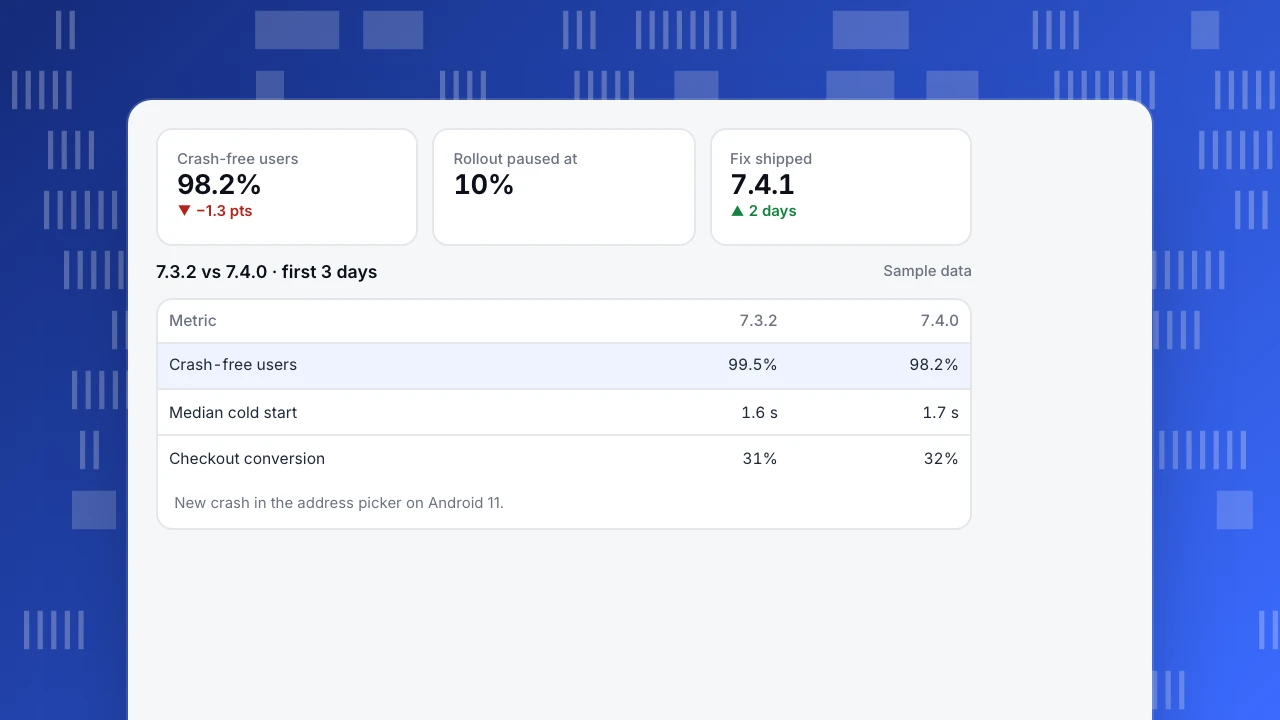
A food delivery app (sample data) releases version 7.4.0 to 10% of Android users:
| Metric (first 3 days) | 7.3.2 | 7.4.0 |
|---|---|---|
| Crash-free users | 99.5% | 98.2% |
| Median cold start | 1.6 s | 1.7 s |
| Checkout conversion | 31% | 32% |
Crash-free users fell 1.3 points; error groups showed a new crash on Android 11 in the redesigned address picker. The rollout was paused at 10%, 7.4.1 fixed the crash two days later, and the rollout resumed. Because only 10% of users had 7.4.0, about 90% of potential crashes were avoided.
Crash-free users
98.2%
▼ −1.3 pts
Rollout paused at
10%
Fix shipped
7.4.1
▲ 2 days
7.3.2 vs 7.4.0 · first 3 days
Sample data| Metric | 7.3.2 | 7.4.0 |
|---|---|---|
| Crash-free users | 99.5% | 98.2% |
| Median cold start | 1.6 s | 1.7 s |
| Checkout conversion | 31% | 32% |
New crash in the address picker on Android 11.
Common mistakes
- Reusing build numbers. Stores reject them, and crash reports become ambiguous.
- Different version numbers for the same release on iOS and Android. Support and analytics get confusing.
- No version in analytics events. You cannot tell whether a change came from a release.
- Full rollouts on day one. A regression reaches everyone.
- Never retiring old versions. Security and API changes eventually require it.
Tracking app versions in TapCub
- Versions report: App analytics › Users › Versions lists each version with platform, share of active users, crash count and first-seen date, and a stacked chart of the top versions. Click a row to filter the current report to that version. See track app versions.
- Stability: crash-free users, crashes, ANRs, UI freezes and cold start; error groups can be marked resolved.
- Funnels and retention: filter by app version to compare conversion and retention release by release.
Related: crash-free rate, improve app performance, app redesign.
FAQ
What is the difference between version and build number? The version (for example 4.3.1) is what users see. The build number is an internal counter that must increase with every upload to the store.
Should iOS and Android share the same version number? For the same feature set, yes. Build numbers can differ.
When should I increase the major version? When a release is a large redesign or introduces incompatible changes. For apps it is often a product or marketing decision.
How long should I support old app versions? Until usage on them is small and they do not block server or security changes; define a minimum supported version and prompt updates.
Sources
- Preston-Werner, T. Semantic Versioning 2.0.0.
- Android Developers. Version your app.
- Apple Developer. CFBundleShortVersionString.
Was this article helpful?
We use your answers to fix and expand this page.
Couldn’t send. Please try again in a minute.
Thanks for the feedback. We’ll use it to improve this page.You’ve already sent feedback on this page. Thanks.

Technical Engineer
Focuses on tracking code, SDKs, and API integrations, with practical guidance on implementation checks and troubleshooting.