Try it on your own data
Every report in this article is in the free plan. One snippet for web and apps, up to 10 sites.
Start freeTo track offline marketing campaigns, give each piece a way to leave an online trace: a QR code to a UTM-tagged URL, a vanity URL for media people cannot scan, a promo code at checkout, or a call number. Then count the traces and check them against a holdout group, because tracked orders are only a floor. Below: a method table, a UTM naming table, and a recomputed 5,000-postcard example where tracked ROI is -64.6% and holdout ROI is -51.6%.
What you will learn
- Match the method to the medium: QR for scannable pieces, vanity URL for audio and outdoor, promo code for any purchase, a number for calls
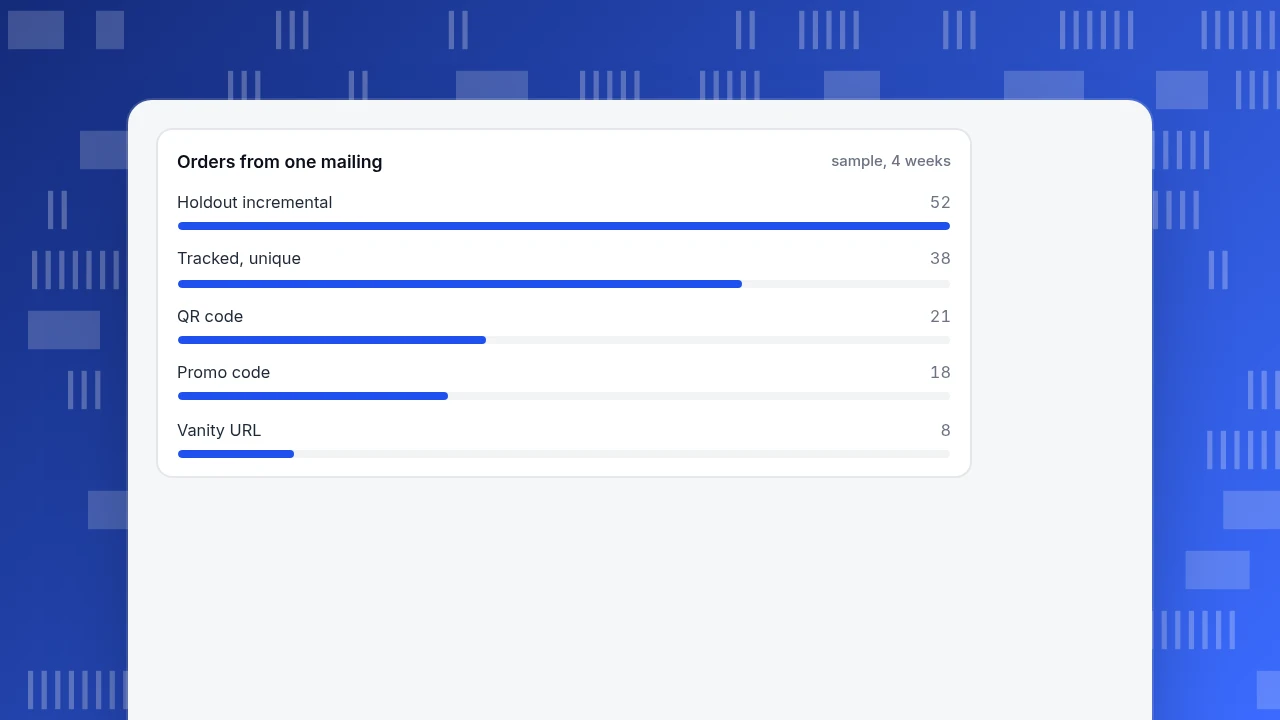
- De-duplicate overlapping methods: 21 QR + 8 vanity + 18 code orders were 38 unique, not 47
- Tracked orders are a floor; a holdout showed 52 incremental orders against 38 tracked (73% caught)
How do you connect offline marketing to online data?
You give every offline piece a way to leave a trace online, then count the traces. Four methods do almost all of the work, and they cover different media; the comparison table above shows which fits which:
- QR code to a tagged URL. Works for anything a phone can see and scan: print, packaging, shelf signs, event banners.
- Vanity URL. A short, memorable address (
example.com/radio) for media people hear or glance at but cannot scan: radio, podcasts, billboards seen from a car. - Promo code. A code the customer types at checkout. It works for any medium and ties the offline touch to a purchase, even when the buyer never visits the tagged page.
- Call tracking. A different phone number per source, with a call log. It is the only one of the four that captures people who ring instead of click.
You will often use two or three on the same piece: a QR code and a vanity URL on a postcard, and a code on both. That creates overlap, so the worked example below also shows how to avoid counting the same order twice.
A fifth method, asking "how did you hear about us?" at checkout or on the phone, is cheap and catches word of mouth, but it relies on memory and yields one answer per buyer. Use it as a cross-check on the other four, not as the main method.
| Method | Best for | What you count | Weak spot |
|---|---|---|---|
| QR code to a UTM URL | Print, packaging, shelf and event signs | Visits and orders by source, medium, campaign | Needs a scan; long URLs make a dense code |
| Vanity URL | Radio, podcasts, billboards | Visits to a short path that redirects with UTMs | Typos; some listeners search the brand instead |
| Promo code | Any medium that ends in a purchase | Orders by code | Codes get shared; must be stored on the order |
| Call tracking number | Phone-heavy sales | Calls by number | Separate number to maintain; a call is not a sale |
| Ask at checkout | Cross-check | One answer per buyer | Relies on memory |
Use two or three methods per piece and de-duplicate orders before you report.
How do you set up a QR code that tracks a campaign?
A QR code is just a URL in picture form, so the tracking lives in the URL. Follow these steps:
- Build the destination URL with UTM parameters. Google's documentation says to always include
utm_source,utm_mediumandutm_campaign;utm_contenttells apart two links in the same piece, and missing parameters show up as "(not set)" in reports. Example:https://example.com/spring?utm_source=postcard&utm_medium=print&utm_campaign=spring_mailer_2026&utm_content=zip_94110 - Use lowercase and one spelling. Google states that parameter values are case sensitive (
utm_source=googleandutm_source=Googleare different values), so a team that writesPostcardon one piece andpostcardon another splits one source into two rows. - Keep the encoded URL short. QR symbols come in versions 1 to 40, from 21 × 21 modules to 177 × 177, adding four modules per side with each version. A long tagged URL pushes the code to a higher version with smaller dots, so it must be printed larger to scan reliably. A short redirect (
example.com/q1) that forwards to the full tagged URL keeps the code simple, and lets you fix the destination later without reprinting. - Choose the error-correction level. Level M recovers about 15% of damage and is the common choice; Level Q recovers about 25% but makes the code bigger for the same content. Use Q for packaging and anything likely to be scuffed.
- Test before printing. Scan the proof with two phones, check that the landing page loads with the parameters intact, and confirm the visit appears in your real-time report.
For tracking scans from a physical code in more depth, see how to track QR code scans.
When should you use a vanity URL instead?
Use a vanity URL when nobody can scan: a radio spot, a podcast read, a billboard seen at speed, a spoken pitch at an event. The rules:
- Make it short, spoken and spellable.
example.com/radioworks;example.com/spring-promo-2026-offerdoes not. Register the common mistyped versions and point them to the same place. - Redirect to the full tagged URL. The vanity path forwards to a URL with your UTM parameters, so the visit arrives labelled. Use a temporary redirect (302) while the campaign runs: MDN describes 302 as "Found", meaning the resource is temporarily elsewhere, and notes that permanent redirects (301, 308) tell crawlers to update the original URL. A campaign path is temporary, so you want it treated that way, and you can change its destination next quarter.
- Use one path per medium and flight.
/radio-novand/radio-declet you separate two flights of the same ad. Put the path in the script, not only in the closing line, so listeners hear it more than once. - Expect leakage. Some listeners will search your brand name instead of typing the path. Those people show up as organic search or direct traffic, which is why the lift check in the worked example matters.
How do promo codes track offline sales, and what goes wrong?
A promo code ties an offline touch to a purchase whether or not the buyer visited a tagged page. The method is only as good as the rules around it:
- One code per channel and flight (
MAIL26,RADIO26). A single code printed everywhere tells you nothing. - Make it short and easy to type. Long or case-sensitive codes are easy to mistype, and a mistyped code records as no code.
- Capture the code on the order. The code must be stored with the order record, not just applied as a discount, or you cannot report on it.
- Watch for leakage. Codes get shared with friends and posted on coupon sites, so a code can be redeemed by people the campaign never reached. Cap the uses or set an end date.
- Count each order once. A buyer who scanned the QR code and also typed the code appears in both reports. In the worked example below, 9 of the 18 code redemptions also came through a QR or vanity visit, so the unique total is lower than the sum.
What about phone calls?
If part of your sales happens by phone, a separate phone number per source (print, radio, outdoor) with a call log shows which source rang. Match calls to sales in your own system by phone number or customer record. The limits: you add a number to maintain, callers sometimes use the company's main number, and a call log shows a call, not a sale. If calls are a small share of your orders, a shorter route is a single question to the person who answers: "How did you hear about us?" and a fixed list of answers.
How do you name offline campaigns so the reports stay clean?
Decide the vocabulary once, write it down, and lowercase everything. A starter table for the three parameters you always set:
| Channel | utm_source | utm_medium | utm_campaign | utm_content (optional) |
|---|---|---|---|---|
| Direct-mail postcard | postcard | print | spring_mailer_2026 | zip_94110 |
| Flyer at an event | flyer | event | trade_show_2026 | booth_a |
| Product packaging insert | insert | print | onboarding_card | v2 |
| Radio spot (vanity URL) | radio | audio | spring_radio_2026 | flight_1 |
| Podcast read | podcast | audio | sponsor_q2 | host_read |
| Billboard | billboard | outdoor | city_launch | downtown |
Use utm_id as well if your reports need to match campaign data uploaded from another system; Google says it should match the ID used on upload. Put utm_content to work: it is how you learn which ZIP code, store or creative version produced the visits.
Worked example: a 5,000-piece postcard mailing
Sample data. A store mails 5,000 postcards at $0.55 each, a cost of 5,000 × 0.55 = $2,750. Each card carries a QR code to a tagged URL, a vanity URL line, and a promo code. Average order value is $64 and gross margin is 40%.
What the three methods recorded in four weeks:
| Method | Visits | Orders | Visit-to-order rate |
|---|---|---|---|
| QR code | 142 | 21 | 21 ÷ 142 = 14.8% |
| Vanity URL | 61 | 8 | 8 ÷ 61 = 13.1% |
| Promo code | not a visit | 18 | not applicable |
Adding up 21 + 8 + 18 = 47 would double-count. Nine of the 18 code redemptions came from buyers who had also arrived by QR or vanity URL, so the unique tracked orders = 21 + 8 + (18 − 9) = 38. That is 38 × $64 = $2,432 in revenue and $972.80 in gross margin, a cost of $2,750 ÷ 38 = $72.37 per tracked order. Margin minus cost is a loss, and ROI = (972.80 − 2,750) ÷ 2,750 = −64.6%.
The lift check. Tracked orders are a floor: they miss people who read the card and searched your name later. To see how big the gap is, hold out part of the list. Split the 10,000-household list at random into 5,000 mailed and 5,000 not mailed, then count orders from each group in the same four weeks using your order system. Suppose the mailed group placed 74 orders and the held-out group 22. The incremental orders are 74 − 22 = 52, so the tracked 38 caught 38 ÷ 52 = 73% of them.
Recompute with the incremental number: 52 × $64 = $3,328 revenue, 3,328 × 0.4 = $1,331.20 margin, a cost of $2,750 ÷ 52 = $52.88 per incremental order, and ROI = (1,331.20 − 2,750) ÷ 2,750 = −51.6%. Still a loss on the first order. Break-even needs 2,750 ÷ (64 × 0.4) = 107.4, so 108 incremental orders; this mailing delivered about half that.
Two decisions follow: the tracked number alone would have overstated how badly it did (−64.6% against −51.6%), and neither number says whether to stop. If your average customer orders again, the first-order view undercounts the value; use your repeat-purchase rate and recompute before deciding. The holdout is also what tells you which of the methods is leaking. For the wider question of judging a campaign's results, see marketing campaign analysis.
Orders from one mailing
sample, 4 weeksHow do you track offline campaigns in TapCub?
Take the postcard mailing above. TapCub measures the online half; it does not read QR codes, run promo codes, track phone calls or send mail.
- Tag every link. Use the URL structure from the naming table so each visit arrives with source, medium and campaign.
- Test with your own phone. Scan the proof, then open Web analytics › Realtime: your visit appears within seconds, with its source.
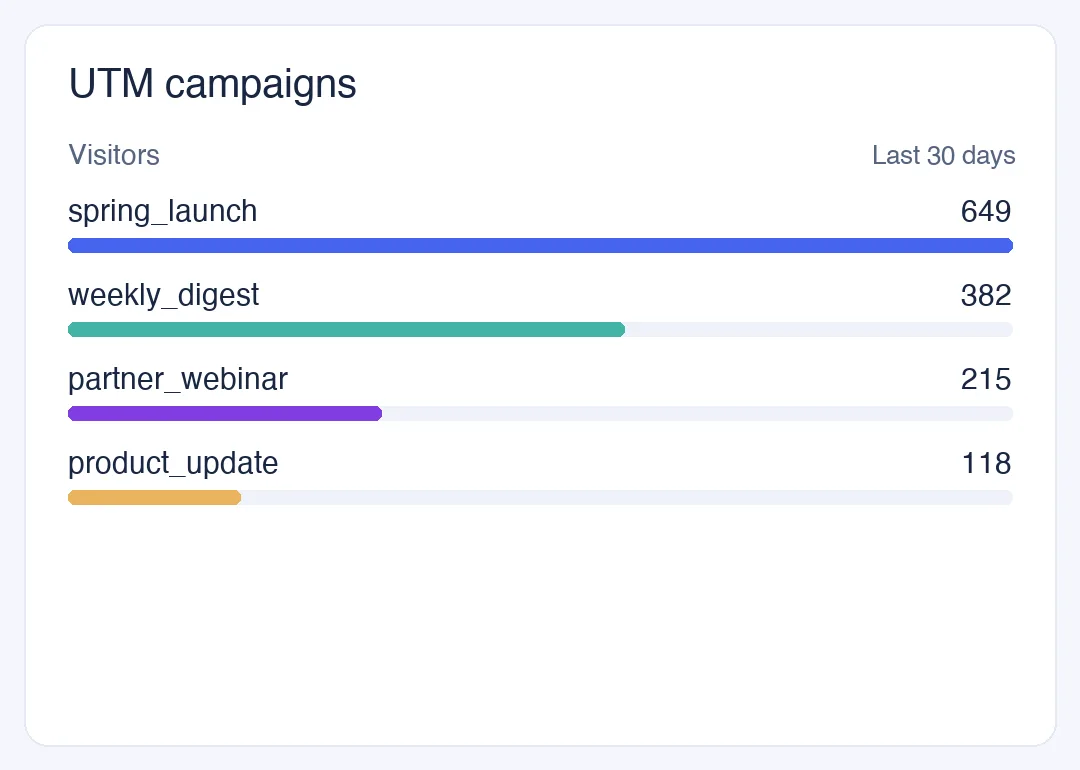
- Read the results. Web analytics › Sources has a UTM tab split into source, medium, campaign, term and content, each row with visitors, sessions, page views, bounce and duration. Select a campaign row to filter other reports to it. Visits with no source fall into direct, which is where unscanned brand-name searchers can hide.
- Count orders and revenue. Define a goal under Web analytics › Goals (an event or a thank-you page). Turn on revenue tracking and name the revenue property to sum it. For orders, send a
purchaseevent from your server; if you send the landing URL with it, promo-code parameters (refandaffby default) are parsed from it. - Compare cost with results. Under All-platform analytics › Business › Channel ROI, import the spend by day, channel, source or campaign (CSV or one line at a time). The page shows cost per click (spend ÷ sessions), cost per acquisition (spend ÷ purchases) and return on ad spend, grouped by channel, source or campaign.
The holdout comparison from the example uses your order system, not TapCub.
FAQ
What is the easiest way to track an offline marketing campaign?
Put a QR code on the piece that points to a URL with UTM parameters, then read the campaign in your analytics. It costs almost nothing, and the visits arrive labelled. Add a promo code if you want to capture buyers who never scan.
Can you track offline marketing without a QR code?
Yes. Use a vanity URL for media people hear, a unique promo code for purchases, a different phone number for calls, or a single question at checkout. Each leaves a trace you can count.
What are UTM parameters and why do they matter offline?
They are labels added to a URL (utm_source, utm_medium, utm_campaign and optional extras) that tell analytics where a visit came from. Offline, they turn a scan or a typed vanity URL into a named source instead of "direct".
How do you measure the real impact of an offline campaign?
Compare mailed or exposed people with a similar group left out. Tracked scans, codes and calls are a floor; the gap between the two groups is the incremental effect. In the sample, tracked orders caught 73% of it.
Should a vanity URL use a 301 or a 302 redirect?
Use 302 (temporary) for a campaign path, because you want to repoint it later. Permanent redirects (301, 308) tell crawlers to update the original URL, which is not what a campaign path means.
Sources
- Google Analytics Help, Collect campaign data with custom URLs: UTM parameters, the three to always use, case sensitivity and "(not set)" values.
- Denso Wave, QR Code versions: versions 1 to 40, 21 × 21 to 177 × 177 modules.
- Denso Wave, QR Code error correction: levels L, M, Q and H; level M at 15%.
- MDN, Redirections in HTTP: permanent and temporary redirects.
Was this article helpful?
We use your answers to fix and expand this page.
Couldn’t send. Please try again in a minute.
Thanks for the feedback. We’ll use it to improve this page.You’ve already sent feedback on this page. Thanks.

Product Experience Specialist
Writes about product experience, practical workflows, and growth, turning complex processes into clear steps for everyday decisions.