Try it on your own data
Every report in this article is in the free plan. One snippet for web and apps, up to 10 sites.
Start freeA support out-of-office message should say the team is away and until when, give a specific time for the reply, one route for urgent problems, what details to send, and a link to self-service answers. The samples below fit a support inbox, a holiday closure, one agent away and a chat widget offline, in 25 to 73 words each.
What you will learn
- Five items in every message: away until when, reply by when, one urgent route, details to send, self-service link
- Compute the promised time from your hours: with 8 business hours and Mon to Fri 9 to 17, a Friday 16:00 message is answered Monday 16:00
- Mark auto-replies as automatic, send one per sender, and set an end date
What every support out-of-office message must say
An out-of-office (OOO) message for a support team has one job: tell the customer what happens next and when, so they do not write a second time or leave. A message that says only "we are away" fails that job. Every message in this article contains the same five items, and the samples below are built from them:
- That the team is away, and until when. Give a date and a time zone, not "for a few days".
- When the customer will get a reply. A specific window ("by 5 pm Monday, Eastern Time") beats "as soon as possible", which promises nothing a customer can plan around.
- What to do if it is urgent. One route only: a phone line, an emergency form, or a status page.
- What to include to speed things up. Order number, account email, a screenshot. The customer replies once with everything instead of three times.
- Where self-service answers live. A link to the help section or a pinned FAQ, for the questions that need no person.
Keep it short: 60 to 90 words for email, under 40 for a chat window. Anything longer is skimmed.
Work out the reply time before you write it
The most common mistake is a reply window that is true on Wednesday and false on Friday evening. Compute it from your hours.
Sample data: a team open Monday to Friday, 9:00 to 17:00, promises a first reply within 8 business hours. The clock only runs while the team is open:
| Message arrives | Time counted before close | Promised by |
|---|---|---|
| Wednesday 14:00 | 3 hours Wednesday, 5 hours Thursday | Thursday 14:00 |
| Thursday 17:30 (after close) | 0, clock starts Friday 9:00 | Friday 17:00 |
| Friday 16:00 | 1 hour Friday, 7 hours Monday | Monday 16:00 |
| Saturday 10:00 | 0, clock starts Monday 9:00 | Monday 17:00 |
| Monday 08:30 (before open) | 0, clock starts 9:00 | Monday 17:00 |
If the auto-reply tool cannot insert a computed time, write the rule in plain words: "We reply within 8 business hours (Mon to Fri, 9:00 to 17:00 Eastern Time). A message sent Friday after 16:00 gets its reply on Monday." A rule the customer can check beats a time that is sometimes wrong.
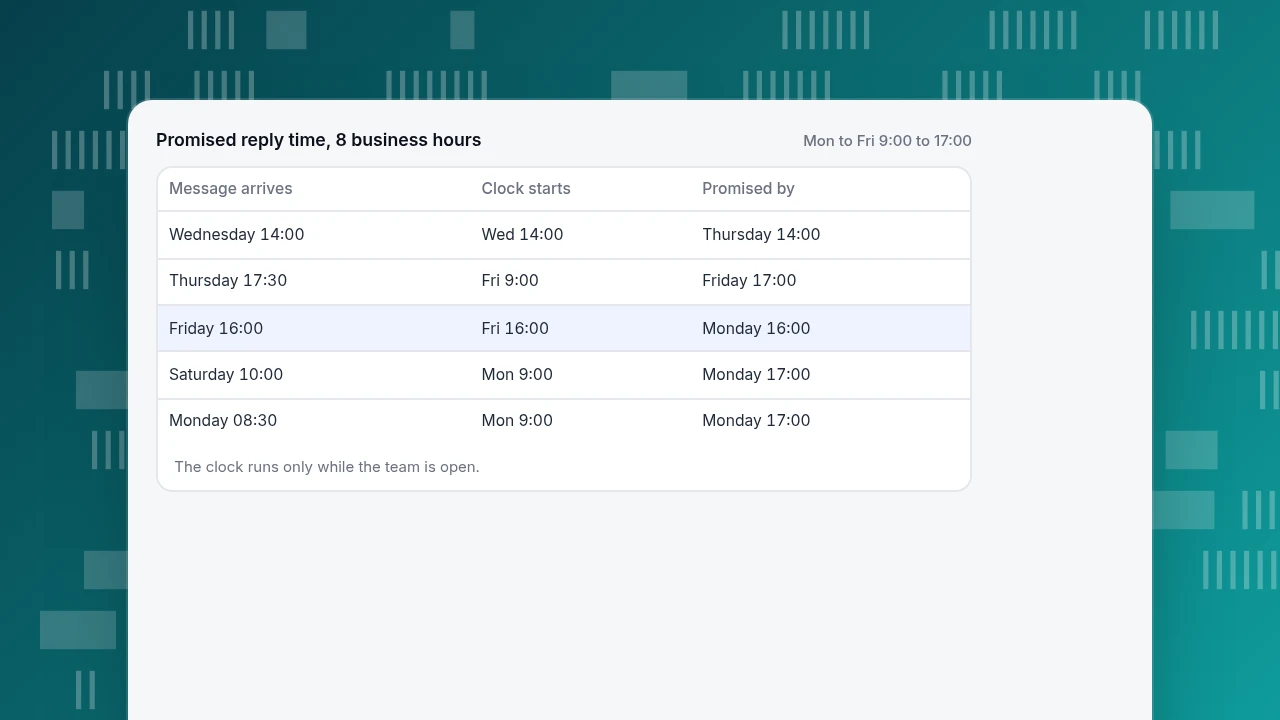
Promised reply time, 8 business hours
Mon to Fri 9:00 to 17:00| Message arrives | Clock starts | Promised by |
|---|---|---|
| Wednesday 14:00 | Wed 14:00 | Thursday 14:00 |
| Thursday 17:30 | Fri 9:00 | Friday 17:00 |
| Friday 16:00 | Fri 16:00 | Monday 16:00 |
| Saturday 10:00 | Mon 9:00 | Monday 17:00 |
| Monday 08:30 | Mon 9:00 | Monday 17:00 |
The clock runs only while the team is open.
Seven samples to adapt
Replace the angle-bracket fields. Each sample names the situation it fits.
1. Support inbox, outside hours
Subject: We got your message (ref [ticket number]) Thanks for writing to [Company] Support. Our team is offline until [day, 9:00 am] [time zone]. We reply within [8 business hours], so you will hear from us by [day, time]. To help us solve it in one reply, please send your order number and a screenshot if you have one. For urgent delivery problems, call [phone] ([hours]). Quick answers are in our help section: [link].
Fits: any shared support inbox. About 70 words including the subject line.
2. Public holiday or company closure
Subject: We are closed [date] to [date] Our team is away from [date] until [date] for [holiday]. We will answer every message in the order it arrived from [return date], starting with orders and payment problems. Self-service help is available at [link]. For a lost parcel, tracking is at [link].
Fits: planned closures. State the return date and the order of work; customers will accept a delay they can see the end of.
3. One agent away, with a backup
Subject: Away until [date] Thanks for your message. I am away until [date] with no access to email. For anything about [topic], please contact [name] at [address], who is expecting your message. Otherwise I will reply within two working days of my return.
Fits: a named account contact. Ask the colleague first and put a real address, not a general inbox, unless the inbox is staffed.
4. Chat offline greeting
We are offline right now. Leave your email and your question and we will reply by [day, time]. Meanwhile, the answer may be here: [link].
Fits: the offline greeting of a live chat widget. 25 words. Tell the visitor when, not "soon".
5. Chat offline, with an urgent route
Our chat team is back [day] at [time]. Order problem that cannot wait? Call [phone] or use the form at [link]. For anything else, leave your email below.
Fits: ecommerce or booking sites where the urgent case is a delivery, a check-in or a payment.
6. High volume (no closure, longer reply time)
We are getting more messages than usual and replies are taking about [2 working days] instead of [one]. Your message is in the queue and nothing needs resending. For account access problems, use the reset link at [link].
Fits: product launches, outages and sales. Say how long and say nothing needs resending, which stops the duplicate messages that make a backlog worse.
7. Automated answers first, a person later
Thanks for your message. Our assistant may reply first from our help articles. If it does not solve it, a team member will reply by [day, time].
Fits: teams with AI replies. Say that a person follows, so customers who distrust a bot do not abandon the conversation.
| Sample | Fits when | Length |
|---|---|---|
| Support inbox, outside hours | Any shared inbox | About 70 words |
| Holiday or closure | Planned closure with a return date | About 50 words |
| One agent away, with a backup | A named account contact | About 40 words |
| Chat offline greeting | Widget shown when no agent is online | 25 words |
| Chat offline, urgent route | Delivery, check-in or payment problems | 28 words |
| High volume | Launches, outages, sales | About 40 words |
| Automated answers first | Teams with AI replies | 27 words |
Word counts include the placeholders; the chat versions are short enough for a small window.
Subject lines and tone
| Situation | Subject line | Avoid |
|---|---|---|
| Support inbox, after hours | We got your message (ref 4821) | "Automatic reply" or "Out of office" alone |
| Closure | We are closed 24 to 26 Dec | "Holiday notice" with no dates |
| Individual away | Away until 3 Dec, backup: Priya | "OOO" |
| High volume | Replies are taking about 2 days | "Delay" |
For tone, write as the team in a plain first person ("we") and keep the apology to one short phrase. A paragraph of regret before the information raises the chance that the information is not read.
What not to do
- "As soon as possible" and "shortly". Replace with a time.
- No urgent route. The customer with a failed payment writes again, angrier.
- A promise you cannot keep over a weekend. Check it against the table above.
- Automatic replies to automatic mail. See the next section.
- Replying every time. Customers who send three messages should get one auto-reply.
- Leaving it on. An away message that is still active a month after the closure tells customers nobody is reading. Set an end date and time when you switch it on.
Make the auto-reply behave: loops, repeats and dates
Three technical points decide whether an auto-reply helps or becomes noise.
Mark it as automatic. RFC 3834, the standard for automatic email responses, says an automatic response should carry an Auto-Submitted header with the value auto-replied, and that a responder should not answer a message that already carries Auto-Submitted with any value other than no. This prevents two auto-responders from replying to each other endlessly. It also lets the other side's tools recognise the message as automated.
Reply once per sender. The same RFC says responders should not send the same notification to the same sender more than once within several days, with 7 days as the recommended default. In practice the tools use their own windows. Gmail's vacation responder sends a reply to a sender the first time they write and again only if they write after four days while it is still on; it also skips messages that land in spam or are addressed to a mailing list. Outlook's automatic replies send a customized message once to each person who emails during your absence.
Set the dates. Gmail's responder starts at 12:00 AM on the start date and ends at 11:59 PM on the end date. Outlook lets you set start and end times so replies stop on their own; without a period, replies stay on until you turn them off. Always set an end.
Also limit replies to contacts or known customers when the inbox receives newsletters and ads; Microsoft's documentation advises this, because replying to every outside sender also reaches newsletters and junk mail.
For a team inbox, the better tool is usually the help desk's own auto-reply, which can insert a ticket reference, as in sample 1.
Chat offline messages: how they differ from email
A chat visitor is on the page, not at a mailbox, and expects an answer in minutes. Three things change:
- The message is shown, not sent. It appears in the widget when no agent is online, so it has to be short enough to read inside a small window.
- You must collect a way to reach them. An offline chat form without an email address cannot be answered. Ask for the email and the question together.
- Self-service comes first. If a knowledge base can answer, let it answer before the form; the form is for what it cannot.
For the greeting that shows when someone is online, see live chat welcome message; for writing the replies you send later, canned responses has templates.
Setting this up in TapCub
TapCub's live chat covers the chat side. The email auto-reply for your support inbox belongs in your own mail or help-desk tool.
- In Live chat › Chat settings › Office hours, turn on Enable office hours, pick the time zone, working days, start and end. Outside the span, or inside it when no agent is online, the window uses Greeting (agents offline): use sample 4 or 5 there.
- Visitors can then leave an email and a question. The records appear in Live chat › Chat settings › Offline messages with the statuses New, Replied and Closed. They are counted separately and are not part of "resolved" in the reports.
- If you turn on the AI assistant, the knowledge base answers first and the form appears only when it cannot (sample 7). The assistant only drafts replies from the knowledge base; it does not change orders or send email.
- To choose hours that match demand, open Live chat › Reports: the heatmap counts chat starts by weekday and hour, so you can set office hours against real traffic.
The reply-time rule in the table above is the one to put in the offline greeting; TapCub shows the greeting you write and does not calculate the promised time for you.
FAQ
What should a customer support out-of-office message include?
State that the team is away and until when (with a time zone), the specific time customers will get a reply, one route for urgent problems, what details to send, and a link to self-service answers. Keep it to about 60 to 90 words for email.
How long should a support auto-reply promise?
Promise what you can keep over the worst case, which is usually a Friday evening or a weekend. Compute it from your hours: with an 8-business-hour promise and Monday to Friday, 9 to 17 hours, a Friday 16:00 message is answered Monday 16:00.
Should every sender get an automatic reply?
Send one reply per sender in a window of several days. RFC 3834 recommends 7 days as the default, and common tools use shorter windows, for example four days in Gmail. Skip mailing lists and anything already marked as automatic.
What is the difference between an out-of-office message and a chat offline message?
An out-of-office message is an email reply sent to the sender. A chat offline message is a greeting shown in the widget, with a form to collect an email, so it must be shorter and must ask for a way to reply.
Do I need an end date on an auto-reply?
Yes. Set the start and end when you switch it on. Gmail's responder ends at 11:59 PM on the end date, and Outlook stops at the end time you enter; without one, the reply stays active until someone remembers to turn it off.
Sources
- IETF, RFC 3834: Recommendations for automatic responses to electronic mail (
Auto-Submitted: auto-replied; no repeat response to the same sender within several days, 7 days recommended), August 2004 - Google, Gmail Help: send automatic vacation replies (one reply per sender; again after four days; 12:00 AM start to 11:59 PM end; spam and mailing lists skipped), checked 22 November 2026
- Microsoft Support, Send automatic out-of-office replies from Outlook (one customized message per sender; optional start and end times; limit to contacts), checked 22 November 2026
Was this article helpful?
We use your answers to fix and expand this page.
Couldn’t send. Please try again in a minute.
Thanks for the feedback. We’ll use it to improve this page.You’ve already sent feedback on this page. Thanks.

Product Experience Specialist
Writes about product experience, practical workflows, and growth, turning complex processes into clear steps for everyday decisions.