Try it on your own data
Every report in this article is in the free plan. One snippet for web and apps, up to 10 sites.
Start freeLive chat services let visitors talk to your business in real time, and they come as software your own staff use, managed services with the provider's agents, or a chat channel inside a help desk. To choose, decide who answers the chats first, then compare candidates on the same criteria: routing, offline handling, translation, AI handoff, reporting, data protection, speed, accessibility and pricing. Below: a criteria table, pricing math and a scorecard.
What you will learn
- Decide who answers the chats (your staff or the provider's) before comparing anything else
- Compute the break-even between per-seat and per-conversation pricing with your own volume: in the sample it was 840 conversations a month
- Score from a trial, apply knock-outs such as a missing data processing agreement first, and treat a gap of one or two points as a tie
What do "live chat services" actually cover?
The phrase covers three different things, and mixing them is the first reason comparisons go wrong. Decide which one you are shopping for before you compare anything else.
| Type | Who answers the chats | What you buy | Main trade-off |
|---|---|---|---|
| Live chat software | Your own staff | A widget, an inbox and reports | Full control of tone and knowledge; you need coverage for the hours you promise |
| Managed or outsourced live chat | The provider's agents, working to your scripts | Agent time, usually per chat or per hour | Hours covered without hiring; the agents know your product less well |
| Chat inside a larger help desk or CRM | Your own staff | A chat channel in a wider suite | One system for tickets and chat; the chat part may be lighter than a dedicated tool |
This page is for the first and third types, where you hold the conversation. It does not rank brands: a ranking is out of date by the next price change, and what matters is the fit with your team. What it gives you is a way to compare any two services on the same footing: a criteria table, a pricing calculation and a weighted scorecard. For a broader tour of the product category, see live chat support software; for installing one, add live chat to your website.
Which criteria separate one live chat service from another?
Each row has a question to ask, a way to test it in a trial, and a red flag.
| Criterion | Question to ask | How to test it | Red flag |
|---|---|---|---|
| Routing and concurrency | Can chats be assigned by load or in turn, and is there a cap per agent? | Send 6 test chats while 2 agents are online and watch who gets them | Everything lands in one shared queue |
| Offline handling | What does a visitor see when nobody is online, and where does the message go? | Close the inbox and send a message | The chat bubble disappears, or messages vanish |
| Translation | Do visitor and agent each read their own language, and is the original kept? | Send 5 sentences in a language your team does not speak | Agents see only machine text with no original |
| AI and knowledge base | Does AI reply only from your content, and can a person take over? | Ask a question your content does not answer | It invents an answer instead of handing off |
| Reporting | Can you get first response, resolution rate and chat-to-conversion? | Check the sample report for your own definitions | Only a total conversation count |
| Data protection | Is there a written data processing agreement and a sub-processor list? | Ask for both before you sign | Terms silent on deletion and export |
| Page speed | Does the widget load without hurting the page? | Test the same page with and without it | The script blocks rendering |
| Accessibility | Are new messages announced to screen readers? | Test with a screen reader | New messages appear silently |
| Pricing model | What is metered: seats, conversations, AI calls? | Compute your own volume (next section) | Costs jump at a quota you will reach |
The next three subsections explain the less obvious rows: data protection, page speed and accessibility.
Data protection. If the service handles personal data of people in the EU, Article 28 of the GDPR applies to the provider as your processor. It requires that processing be governed by a written contract that, among other terms, binds the processor to act only on your documented instructions, keep authorised persons confidential, apply security measures, engage sub-processors only under the conditions in the article, help you answer data-subject requests, and at your choice delete or return all personal data when the service ends (GDPR Article 28). Ask for the agreement and the sub-processor list as part of the trial, not after.
Page speed. The widget is a third-party script. Google's recommended Core Web Vitals targets, measured at the 75th percentile of page loads, are largest contentful paint of 2.5 seconds or less, interaction to next paint of 200 milliseconds or less and cumulative layout shift of 0.1 or less (web.dev). web.dev advises loading third-party scripts asynchronously unless they must run before render, and deferring or lazy-loading non-critical ones (web.dev). Test: measure the same page with the widget on and off.
Accessibility. WCAG 2.2 success criterion 4.1.3 (level AA) requires that status messages can be programmatically determined through role or properties so that assistive technology can present them without moving focus (W3C). W3C's page gives no chat example; applying it to a new agent message appearing in the window is our reading, and the way to check is to try a screen reader.
| Criterion | Test in the trial | Red flag |
|---|---|---|
| Routing and concurrency | 6 chats with 2 agents online | One shared queue |
| Offline handling | Leave a message with nobody online | Messages vanish |
| Translation | 5 sentences in a language you do not read | No original shown |
| AI and knowledge base | Ask what your content does not cover | Invented answers |
| Data protection | Ask for the agreement and sub-processor list | Silent on deletion and export |
| Page speed | Same page with and without the widget | Script blocks rendering |
Score each criterion from 1 to 5 after testing it, and weight by what your team needs.
How do pricing models change the cost?
Live chat services charge in three common ways: per agent seat, per conversation, or a plan that bundles a number of agents with a monthly conversation allowance. The right one depends on your volume. A calculation avoids guessing.
Sample data: six agents. Model S charges $49 per seat per month, so $49 × 6 = $294 a month whatever the volume. Model C charges $0.35 per conversation. Break-even is $294 ÷ $0.35 = 840 conversations a month.
| Conversations a month | Model S (seats) | Model C (per conversation) | Cheaper | Model S cost per conversation |
|---|---|---|---|---|
| 500 | $294 | 500 × $0.35 = $175 | C | $0.588 |
| 2,000 | $294 | 2,000 × $0.35 = $700 | S | $0.147 |
| 5,000 | $294 | 5,000 × $0.35 = $1,750 | S | $0.059 |
| 10,000 | $294 | 10,000 × $0.35 = $3,500 | S | $0.029 |
Read it like this: below 840 conversations a month the per-conversation model is cheaper; above it, seats win, and the gap grows with volume. Two habits make the comparison honest:
- Use your own volume, not the vendor's example. Count last quarter's contacts across email, phone and chat, and estimate how many would move to chat.
- Price the quota edge. Find out what happens when you pass a monthly allowance: a hard stop, an overage fee or a forced upgrade. A model that is cheap at 500 and expensive at 900 will cost you in a busy month.
How do you build a weighted scorecard?
A scorecard stops the loudest demo winning. Weight the criteria by how much they matter to your team, score each candidate from 1 to 5, and multiply.
Sample data, three unnamed candidates, weights summing to 100:
| Criterion | Weight | A | B | C |
|---|---|---|---|---|
| Routing and concurrency | 15 | 4 | 3 | 5 |
| Offline handling | 10 | 3 | 4 | 4 |
| Translation | 10 | 2 | 4 | 1 |
| AI and knowledge base handoff | 15 | 4 | 3 | 2 |
| Reporting | 15 | 3 | 4 | 3 |
| Data protection | 15 | 5 | 3 | 4 |
| Page speed and accessibility | 10 | 4 | 3 | 5 |
| Pricing fit | 10 | 3 | 5 | 2 |
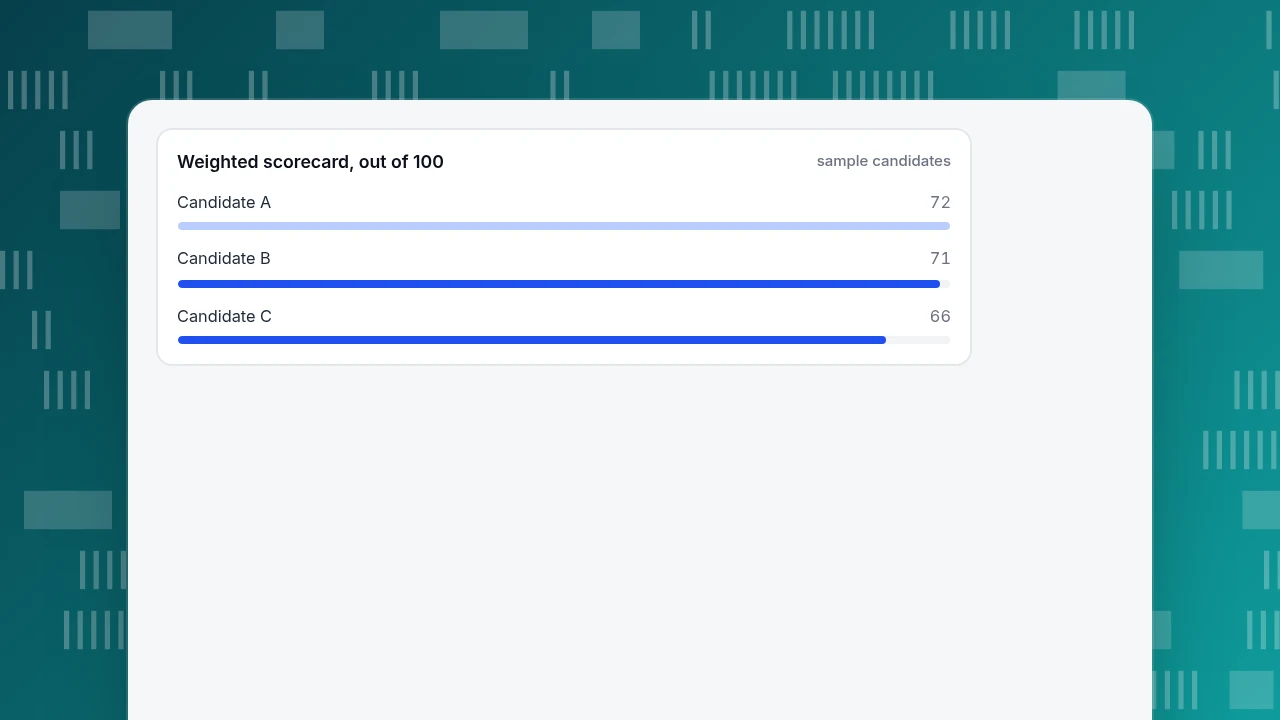
| Weighted score (out of 100) | 72 | 71 | 66 |
Each total is the sum of weight × score, divided by 5 to put it on a 100 scale. For A: (15×4 + 10×3 + 10×2 + 15×4 + 15×3 + 15×5 + 10×4 + 10×3) ÷ 5 = 360 ÷ 5 = 72. For B it is 355 ÷ 5 = 71 and for C 330 ÷ 5 = 66.
How to use the result:
- Apply knock-outs first. A missing data processing agreement is a pass or fail, not a score. Remove the candidate before weighting.
- Treat a gap of one or two points as a tie. A and B are within 1 point. Run a trial with both before deciding.
- Check sensitivity. Double the weight of translation from 10 to 20 and the totals (now out of 110) become A 76, B 79 and C 68, so B moves ahead. If one weight can flip the order, that criterion is the real decision; discuss it before you sign.
- Score only what you tested. A brochure claim is a 3 until a trial shows otherwise.
Weighted scorecard, out of 100
sample candidatesHow should you run a seven-day trial?
A trial turns the table above into evidence. A realistic plan:
- Day 1, install on a staging or low-traffic page. Record page speed with and without the widget.
- Day 2, route tests. Send 6 chats with 2 agents online; confirm assignment, transfer and the concurrency cap.
- Day 3, offline test. Mark everyone offline and leave a message from a phone. Confirm it is stored and can be answered.
- Day 4, language test. Send 5 sentences in a language your team does not read; confirm each side sees its own language.
- Day 5, knowledge test. Ask 10 questions, 5 your content answers and 5 it does not. Count wrong answers; the target is zero invented answers.
- Day 6, report check. Find first response, resolution rate and a chat-to-conversion view. Check that definitions match yours.
- Day 7, paperwork. Obtain the data processing agreement and sub-processor list, and the export and deletion procedure.
Score the table from what happened, not what the sales page said.
How to evaluate TapCub live chat on the same criteria
TapCub live chat is software you staff yourself, built on the same script and visitor ID as TapCub analytics. Here is how it maps to the criteria, in the same order, so you can score it like any candidate. TapCub does not provide outsourced agents, and the widget has no pre-chat form: ask for an email inside the conversation, or use offline messages.
- Routing. In Live chat › Agents, new conversations can be auto-assigned by least load or round robin, with a maximum number of concurrent chats per agent, and transfers leave an audit record.
- Offline. Live chat › Chat settings › Office hours sets the working hours by time zone; outside them, or with nobody online, visitors can leave an email and question, and the messages are listed in Live chat › Chat settings › Offline messages.
- Translation. Live chat › Chat settings › Greeting & translation gives visitor and agent each their own language, with the original shown to the agent only.
- AI and knowledge base. Live chat › Chat settings › AI assistant has three modes (off, only when all agents are offline, AI first), and the AI only generates replies: it does not change orders or call other systems. Exact Q&A matches in Live chat › Knowledge base are sent as written without using an AI call.
- Reporting. Live chat › Reports has conversations, resolution rate, first response, satisfaction, knowledge base hit rate and Conversion attribution.
- Pricing model. Live chat is billed as a plan that bundles agents, a monthly conversation allowance and AI calls, separate from the analytics plan; check the figures on the account page before scoring, because they can change.
FAQ
What are live chat services?
Live chat services let visitors talk to your business in real time from a website or app. They come as software your own staff use, managed services where the provider's agents answer, or a chat channel inside a larger help desk. The first thing to decide is who will answer the chats.
How do I choose a live chat service?
List the criteria that matter to your team (routing, offline handling, translation, AI handoff, reporting, data protection, speed, accessibility, pricing), weight them, score each candidate from 1 to 5 from a trial, and treat gaps of one or two points as ties. Apply knock-outs such as a missing data processing agreement first.
How much do live chat services cost?
It depends on the model. Seat pricing is flat per agent, per-conversation pricing scales with volume, and plans bundle agents with a monthly allowance. In the sample, six seats at $49 cost $294 a month and break even with $0.35 per conversation at 840 conversations. Compute your own volume.
Is there a free live chat service?
Some services offer a free tier with limits on agents, conversations or features. Evaluate it with the same scorecard, and read the limits: a free tier is only useful if the allowance covers your volume and the missing features are ones you do not need. TapCub's chat plans include a free one with stated limits, listed on the account page.
Does live chat slow down my website?
It can, because the widget is a third-party script. Google's recommended targets are largest contentful paint of 2.5 seconds or less and interaction to next paint of 200 milliseconds or less at the 75th percentile. Test the same page with the widget on and off, and prefer a widget that loads asynchronously.
See also: Best Live Chat Software: How to Choose and Compare.
Sources
- GDPR, Article 28: Processor. EUR-Lex — requirements for processors, sub-processors and the written contract, including return or deletion of data. Checked 2026-11-20.
- web.dev. Web Vitals — LCP 2.5 s, INP 200 ms, CLS 0.1 at the 75th percentile. Checked 2026-11-20.
- web.dev. Efficiently load third-party JavaScript — async, defer and lazy-loading guidance. Checked 2026-11-20.
- W3C. Understanding Success Criterion 4.1.3: Status Messages — Level AA. Checked 2026-11-20.
Was this article helpful?
We use your answers to fix and expand this page.
Couldn’t send. Please try again in a minute.
Thanks for the feedback. We’ll use it to improve this page.You’ve already sent feedback on this page. Thanks.

Product Analyst
Focuses on event analysis, conversion funnels, and retention, using clear metric definitions and structured analysis to explain product performance.