Try it on your own data
Every report in this article is in the free plan. One snippet for web and apps, up to 10 sites.
Start freeAn overlay popup is safe to use when it is small, delayed and easy to close. Block the page only when the visitor asked for it or the law requires it. In a 1.24-billion-display dataset a 6–10 second delay converted at 2.4% against 1.9% for instant display, and Google flags full-page overlays that hide content.
What you will learn
- Delay popups 6–10 seconds or trigger on scroll; instant modals converted at 1.9% against 2.4% for a delay in one 1.24-billion-display dataset
- Google treats full-page overlays and dialogs that hide content as intrusive, but accepts small banners and legally required gates
- Keep a popup only if its measured order loss stays below signups × email purchase rate × incremental share ÷ baseline orders
What counts as an overlay popup, and which ones are risky?
An overlay popup is any layer that draws on top of the page you came for: a newsletter box, a discount offer, a cookie notice, a login prompt, an app-install bar. Two properties decide how risky it is:
- Does it block the page? A modal overlay dims the page and takes focus until the visitor closes it. A non-modal overlay (a corner slide-in, a bottom bar) leaves the page usable.
- Who asked for it? A popup the visitor triggered by clicking "Subscribe" is a feature. A popup that fires on arrival, before the visitor has seen any content, is an interruption.
Everything below follows from those two questions. The rule of thumb that survives every source we checked: block the page only when the visitor asked for it or the law requires it, and give everything else a smaller, later and easier-to-close form. The glossary entry on the modal window covers the interface pattern itself; this guide is about when to use one and what it costs.
Which popup types exist, and what do they convert?
The table below lines up the common trigger types with the only large-sample numbers we could verify. They come from one email-capture vendor's 2025 dataset, so they describe how often a form on a popup turns a display into a signup, not how much revenue it adds or takes away. Treat them as a ranking between triggers, not a promise for your site.
| Popup type | Trigger rule | Signup rate per display (Omnisend, 2025) | Main risk |
|---|---|---|---|
| Immediate modal | Shows within 0–1 seconds of arrival | 1.9% | Blocks content before value is seen; Google's intrusive-interstitial case |
| Timed popup | Shows after 6–10 seconds on the page | 2.4% | Still interrupts reading; keep it small |
| Scroll-triggered | Shows after the visitor scrolls down | 2.1% | Lands mid-sentence on mobile if too large |
| Page-count trigger | Shows after a set number of pages viewed | 2.3% | Frequency: it repeats every session unless capped |
| Exit-intent | Shows when the pointer leaves the page | 1.8% | Desktop-only signal; last chance, so the offer must be real |
| Slide-in or bottom bar | Non-modal, small corner or edge box | not reported separately | Lowest risk; covers little of the page |
| Consent, age gate, login | Required before use | not a conversion tool | Allowed by Google when legally required; keep it nonmodal where you can |
Source for the rates: Omnisend, "Email popup statistics," published February 9, 2026: 1.24 billion popup displays in 2025, average conversion 2.1%, delays of 6–10 seconds at 2.4% against 1.9% for 0–1 seconds. One caution from reading it closely: the article's charts and text disagree by a few tenths of a point in places, so we used only the figures stated in its text, and the gaps between triggers (0.1–0.6 points) are small enough that your own test should settle the choice.
What does Google's interstitial guidance actually say?
Google's Search Central page "Avoid intrusive interstitials and dialogs" is short and specific. It says intrusive dialogs and interstitials make content harder for Google and other search engines to understand and may hurt search performance. It names three patterns that make content less accessible:
- Full-page overlays that obscure the entire page.
- Dialogs that cover part of the page and hide the content beneath.
- Redirects to a separate page for consent or input, unless that is legally required.
What the page treats as acceptable:
- Banners that use a reasonable amount of screen, such as a browser-supported app-install banner or an HTML banner. Google says these can also be reused for newsletter sign-up prompts.
- Interstitials required by law, such as an age gate. For those, Google still recommends overlaying the content (not redirecting) so a crawler can see some of it.
Two practical readings. First, the safe default for a newsletter or offer is a banner or slide-in, not a centred modal that dims everything. Second, the guidance concerns the page a searcher lands on; a popup on a page that gets no search traffic (a checkout, a logged-in screen) carries no search risk but still carries a conversion risk, which the example below quantifies. Google does not publish a percentage-of-screen limit, so do not trust articles that quote one; use "covers a small part of the screen and is easy to close" as your test.
How do you keep an overlay accessible and fast?
A popup that fails keyboard users or shifts the layout loses conversions before any search rule applies. Two checks are concrete enough to automate.
Keyboard and focus. The W3C's ARIA Authoring Practices Guide for a modal dialog specifies: when it opens, focus moves to an element inside it; Tab and Shift+Tab cycle within it; Escape closes it; on close, focus returns to the element that opened it. The container needs role="dialog", aria-modal="true" and a visible label through aria-labelledby. The guide also says to mark a dialog modal only when your code really blocks the page behind it. Test this yourself: open the popup, press Tab ten times and then Escape. If focus escapes behind the overlay or Escape does nothing, fix it before tuning copy.
Layout shift. web.dev defines a good Cumulative Layout Shift as 0.1 or less at the 75th percentile of page loads (poor is above 0.25). A banner injected at the top that pushes content down counts as a shift, while an overlay that sits on top without moving content should not, and shifts within 500 ms of a click or keypress are excluded. So a bar that is inserted into the flow after load hurts the score, and a fixed-position slide-in does not. Reserve the space or overlay it.
Add the plain rule from Nielsen Norman Group's popup review (Anna Kaley, June 30, 2019): do not show a popup before users can get value from the page except where consent is legally required; do not interrupt critical tasks such as checkout; if several popups are unavoidable, show one at a time. The same article recommends a thin dismissible banner instead of blocking an article with a modal.
How do you decide if a popup earns its place? A worked example
Sample data: a store gets 20,000 sessions a month on a landing page. Baseline purchase conversion is 2.5%, so 500 orders at $60 average order value and a 40% gross margin. You compare two ways to ask for an email address.
Assumptions (ours, labelled as such): popup A is an immediate modal; popup B is a small slide-in after 8 seconds. Signup rates use the benchmark above: 1.9% for A and 2.4% for B. The popup costs some purchases: A loses 6% of orders (the blocked-content effect), B loses 1%. Each signup buys 3% of the time within 30 days, and only half of those purchases are truly extra (the rest would have bought anyway).
| Popup A: immediate modal | Popup B: 8-second slide-in | |
|---|---|---|
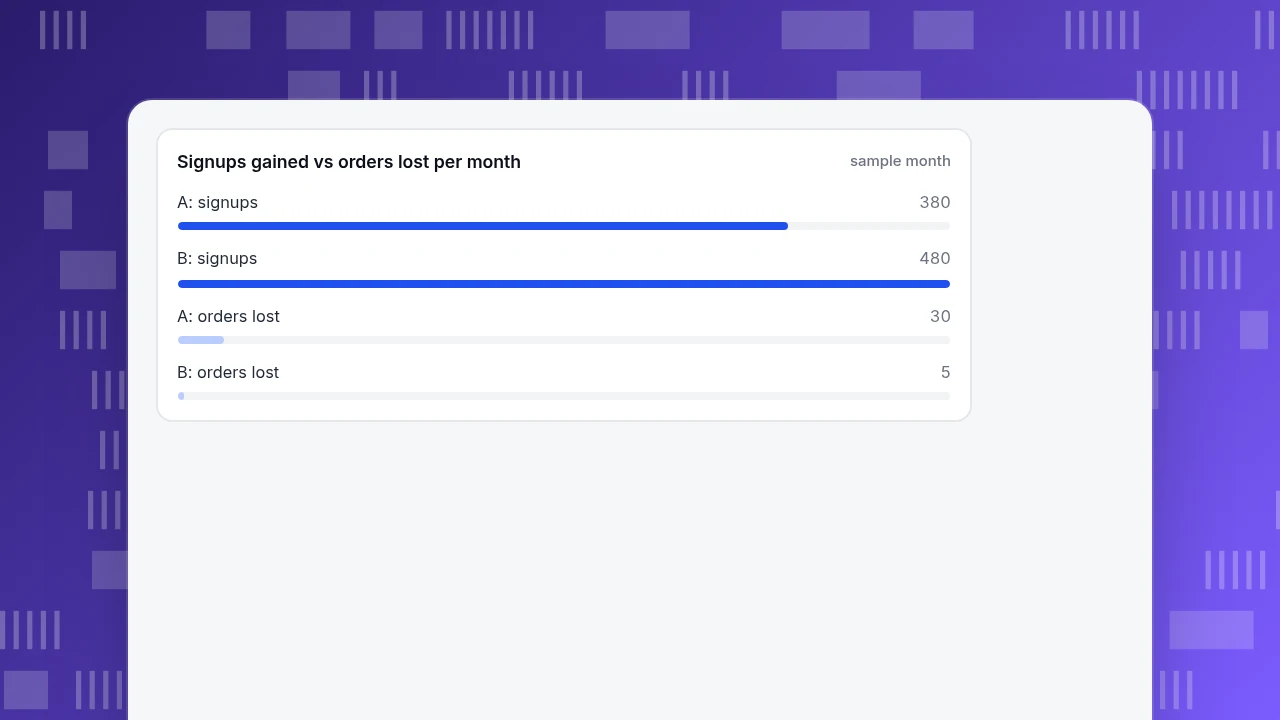
| Signups (20,000 × rate) | 380 | 480 |
| Orders lost (500 × loss) | 30.0 | 5.0 |
| Extra orders from email (signups × 3% × 50%) | 5.7 | 7.2 |
| Net orders | −24.3 | +2.2 |
| Net gross margin at $60 × 40% | −$583 | +$53 |
Popup A collects fewer signups and costs a net 24 orders; popup B wins on both. The useful number is the break-even loss: popup A needs to cost fewer than 5.7 ÷ 500 = 1.14% of orders to pay for itself, and popup B fewer than 7.2 ÷ 500 = 1.44%. If you cannot measure the order loss, you cannot know whether a popup is working; a signup count alone always looks good. The decision rule: keep a popup only if its measured order loss stays below signups × email-to-purchase rate × incremental share ÷ baseline orders.
Signups gained vs orders lost per month
sample monthWhich trigger rules should you set?
Turn the evidence into settings you can apply today:
- Delay or scroll, never on load. Wait at least 6–10 seconds or until the visitor has scrolled; the benchmark above puts that at 2.4% against 1.9% for instant display.
- Cap frequency. Show once per visitor, then suppress for 7 to 30 days after a dismissal. Show one popup at a time.
- Match the page. Offer the discount on product pages, the content upgrade on articles. A generic box on every page is the version visitors learn to ignore.
- Make the close button obvious. A visible close control, Escape key, and a click on the dimmed area. On mobile, size the close target for a thumb.
- Skip critical moments. Nothing during checkout, payment or a form the visitor is filling in.
- Prefer non-modal. If a slide-in does the job, do not use a full-screen modal.
- Review quarterly. Remove any popup whose net order effect, as measured above, is not positive.
For landing pages specifically, compare these decisions with the other fixes in landing page optimization tools; a popup is one lever among several, and often not the biggest.
| Situation | Use this form |
|---|---|
| Newsletter or offer on a content page | Slide-in or bottom bar after 6–10 seconds or a scroll |
| Cookie or consent notice | Small nonmodal box at the bottom or side |
| Legally required age gate | Overlay on the content, not a redirect |
| Checkout or payment step | No popup at all |
| Visitor clicked Subscribe | Modal is fine; it was requested |
When in doubt choose the smaller, later and more dismissible form.
How to measure a popup in TapCub
Here is how the store above would check whether popup B really helps. TapCub does not build or serve popups and does not split traffic, so you run the variants yourself and use TapCub to measure.
- Record the popup's moments as events. In the popup code, call
tapcub.track('popup_shown', { popup: 'newsletter' }), andtapcub.track('popup_signup', { popup: 'newsletter' })on a successful submit. They appear in Web analytics › Events. Keep one name for one action. - Set the goals. In Web analytics › Goals, mark
popup_signupand your purchase event as goals, so you get signups and orders on the same page for the same period. - Run the variants in separate periods or on separate pages. Because TapCub does not split traffic, run popup A for two weeks, then popup B for two weeks, and mark the change in Configuration › Annotations. Compare the purchase goal rate before and after, not only the signup count; that is the order-loss number from the example. Bots are counted separately, so crawler visits do not dilute either rate.
- Check the cost side. Open Web analytics › Pages and Web analytics › Audience (device) for bounce on the popup page, and Monitoring › Performance for real-user Core Web Vitals so a banner is not adding layout shift.
- If the popup is a chat invite, use its own report. For the Live chat › Chat settings › Proactive invites rule, the rule list records impressions, open rate and reply rate; retire lines nobody answers.
FAQ
What is an overlay popup?
An overlay popup is a box drawn on top of the page, such as a newsletter form, offer, notice or login prompt. It is modal if it blocks the page until closed, and non-modal if the page stays usable. Modal overlays carry the most risk for conversions, accessibility and, on mobile landing pages, search visibility.
Do popups hurt SEO?
Intrusive ones can. Google's Search Central guidance says intrusive dialogs and interstitials make content harder to understand and may hurt search performance, and lists full-page overlays, partial dialogs that obscure content, and redirects for consent as examples. Small banners and legally required interstitials are treated as acceptable.
How long should you wait before showing a popup?
A delay of 6–10 seconds converted at 2.4% in a 1.24-billion-display email-popup dataset, against 1.9% for display within one second. Nielsen Norman Group advises not showing one before the visitor can get value from the page. Treat 6–10 seconds as a starting point and test it against order loss.
What is a good popup conversion rate?
The 2025 average in that dataset was 2.1% of displays, down from 2.3% in 2024. Rates vary by sample and definition, so compare your own variants over the same period rather than chasing a headline number, and always check the order loss alongside the signups.
Is a cookie banner an intrusive interstitial?
A required consent notice is generally acceptable to Google when it is needed by law. Nielsen Norman Group suggests a nonmodal notice at the bottom or side with a clear explanation. Keep it small, keep the page readable behind it, and do not make the visitor leave the page to answer it.
Sources
- Google Search Central. Avoid intrusive interstitials and dialogs — intrusive patterns and acceptable banners. Checked 2026-11-20.
- Nielsen Norman Group, Anna Kaley. Popups: 10 Problematic Trends and Alternatives. June 30, 2019 — timing, frequency and relevance rules.
- Omnisend. Email popup statistics. February 9, 2026 — 1.24 billion displays, trigger and delay rates (vendor data).
- W3C. Modal Dialog Pattern, ARIA Authoring Practices Guide — keyboard and focus behaviour. Checked 2026-11-20.
- web.dev. Cumulative Layout Shift (CLS) — 0.1 and 0.25 thresholds, what counts as a shift. Checked 2026-11-20.
Was this article helpful?
We use your answers to fix and expand this page.
Couldn’t send. Please try again in a minute.
Thanks for the feedback. We’ll use it to improve this page.You’ve already sent feedback on this page. Thanks.

Product Analyst
Focuses on event analysis, conversion funnels, and retention, using clear metric definitions and structured analysis to explain product performance.